
Author name: admin

Think Cirrus/ Cloud Migration/Cloud and lock
Blog

Cloud Computing for small business

Why cloud computing? Because it’s so easy, simple and cost effective, that it’s the best thing for small business since the creation of the laminator. Do you want to be able to access your business files, data and applications from anywhere at any time? The solution is cloud computing. It’s even more impressive because you can gain access from any mobile device at a price that is value for money. The cloud gives small businesses access to technologies that previously were out of their reach and lets them compete with both small and larger businesses, alike.         1. You don’t have to worry about a thing. You no longer have to install and update software, install and manage email servers and/or file servers, run backups – the beauty of cloud computing is that all of the business of maintaining the service or application is the responsibility of the cloud vendor or managed service provider, not yours.  And, you no longer have to buy software and install it on your own servers/computers, which means that using cloud applications can be cheaper and simpler.   2. Everything is all in one place. You can consolidate your separate application needs into one multi-application cloud computing service.  As a Microsoft Cloud Partner, we know that Microsoft’s traditional office application suite, which used to be only available in desktop versions can cost hundreds. However we are excited to now use and endorse the cloud-based version known as Office 365. It is sold by annual subscription and starts from as little as £6.50. It also includes online video conferencing, Skype and instant messaging connectivity, and many other features.  More expensive plans include the desktop applications. Office 365 is now outselling the desktop office suite.   3. No more excess system hardware needed File storage, data backup and software programs all take up a lot of space on servers/computers. With cloud computing, you use someone else’s servers to store all this data instead, freeing up your in-house computer equipment for other purposes or even letting you get rid of some of it.   4. Easier Application Integration Because many cloud computing applications include an Application Programming Interface (API) you may be able to find “compatible” applications rather than having to pay to have the applications you want to be integrated customised for you.   5. Regular Updates and Patching Cloud computing applications are regularly updated, so you don’t have to spend time and money doing it – and giving you the advantage of always having access to an application’s latest features and functions. 6. Cloud computing allows you and your employees easy access to applications and data from different computers and devices. Since cloud applications are browser-based they are accessible from mobile devices such as tablets and smartphones. For example, cloud-based accounting applications come with Android or Apple compatible mobile applications that allow you to access your accounting data from any mobile device and send invoices, track expenses, etc. on the run. Note that accessing office applications via a browser on a mobile device can be a less than ideal user experience, so (for example) Microsoft offers mobile versions of office applications, such as Office for iPad. 7. A better option for start-up businesses Cloud computing lets you start up or grow your small business quickly. It’s a lot easier and faster to sign up for a cloud computing application than to buy a server, get it up and running and install software on it. And because you don’t need to buy hardware and software, your start up or expansion is cheaper, too.   So why aren’t you cloud computing already? Well, if you look closely, you probably are. Outlook Online (formerly known as Hotmail), Gmail, DropBox and Google Maps are all examples of cloud computing applications that you’ve probably used at some point or even use regularly.  

Think Cirrus/GDPR Blog/EU Flag
Blog

Clueless about GDPR and customer data protection? Keep calm and read on!

What is GDPR? The General Data Protection Regulation (GDPR) is the biggest change in data protection laws for 20 years, and when it comes into effect on May 25th, 2018, it intends to give European citizens back control over their personal data. Businesses are collecting more personal data than ever before. But with the GDPR policy coming into effect next year, are small businesses ready to make changes to how they collect, store and use their data? Could your business take a £310,000 financial hit? Sounds painful, right? That figure is the average maximum cost of a data breach, up from £115,000 in 2014.   Data Protection Act & GDPR: The Principles GDPR has 8 principles of which businesses need to consider and abide by. GDPR has retained the principles from the original data protection act, but these have now been extended and strengthened. There is some further reading needed around these principles (handy links at the bottom). The principles are as follows: Principle 1 – Fair and Lawful Principle 2 – Purposes Principle 3 – Adequacy Principle 4 – Accuracy Principle 5 – Retention Principle 6 – Rights Principle 7 – Security Principle 8 – International   According to the Information Commissioner’s Office, the most significant addition is the accountability principle. The GDPR requires you to show how you comply with the principles – for example by documenting the decisions you take about a processing activity.   Article 5 of the GDPR requires that personal data shall be: (a) processed lawfully, fairly and in a transparent manner in relation to individuals; (b) collected for specified, explicit and legitimate purposes and not further processed in a manner that is incompatible with those purposes; further processing for archiving purposes in the public interest, scientific or historical research purposes or statistical purposes shall not be incompatible with the initial purposes; (c) adequate, relevant and limited to what is necessary in relation to the purposes for which they are processed; (d) accurate and, where necessary, kept up to date; every reasonable step must be taken to ensure that personal data that are inaccurate, having regard to the purposes for which they are processed, are erased or rectified without delay; (e) kept in a form which permits identification of data subjects for no longer than is necessary for the purposes for which the personal data are processed; personal data may be stored for longer periods insofar as the personal data will be processed solely for archiving purposes in the public interest, scientific or historical research purposes or statistical purposes subject to implementation of the appropriate technical and organisational measures required by the GDPR in order to safeguard the rights and freedoms of individuals; (f) processed in a manner that ensures appropriate security of the personal data, including protection against unauthorised or unlawful processing and against accidental loss, destruction or damage, using appropriate technical or organisational measures. Article 5(2) requires that “the controller shall be responsible for, and be able to demonstrate, compliance with the principles.”   What does this all mean? So, for small business owners how do we make this real? How do we get our heads around the principles and put real processes in place?  Here are top 5 things to think about when storing and processing customer data: OPT IN This is all about process. You need to make sure that all your customers have opted into your mailing lists and ensure that they are made aware that their records are held on database. As a data controller or business owner you will need to make sure that you have documented proof of opt in. An email, system or process in place which proves consent to hold and use their data. OPT OUT Again – this is about visibility and process. You need to make sure that your customers are aware that they can opt out. Under the new regulation customers now have a right to be forgotten. So, you need to make it easy for customers to opt out and stop receiving marketing communications TECHNOLOGY Take this opportunity to re-evaluate your tech and your processes around collecting data. Which CRM do you use? If you use spreadsheets, speak to your IT provider to see if they can support you with an integrated process. Does your email system and CRM communicate with each other? Does all your tech work appropriately with the processes you need to put in place?  FOLLOW UP & RESPONSIBILITY The new regulations mean that if you have a ‘request to be forgotten’ you need to act and take responsibility. So, appoint a Data Processor or Controller to ensure that your databases are up to date, you’re storing consent forms and you’re following up on requests. Yes, it’s another admin task. But it needs to be done. INTEGRITY It’s time to start treating people and their data with respect. Ensure that the databases you use are secure and private. Ensure that your marketing activities consider your customers and how they’d like to be treated. What sort of messages would they like to receive and how often? Now is the time to be courteous. Its more than regulation, use this time to re-evaluate marketing communications and technology in your business.     Handy Links https://ico.org.uk/for-organisations/guide-to-data-protection/principle-5-retention/ https://ico.org.uk/for-organisations/guide-to-data-protection/data-protection-principles/  

Think Cirrus/Managed Service/small office
Blog

5 Reasons why you should work with a Managed Services Provider (MSP)

A Managed Service Provider (MSP), is an IT business that manages information technology services for other companies. An MSP client may use internal operations or an Applications Service Provider to run its business functions, such as Microsoft, for example. A Managed Services Provider (MSP) helps to bridge the gap between the capacity of your IT department, and the increasing demand for fast-moving, stable, high-performance business technology. The main reason is to ensure you can focus on running your business, so that the capacity of your staff is focussed on the right activities.  And if you have an IT team this means they can be used to add value to your business, rather than dealing with the day-to-day. Thus, keeping your competitive advantage in the market place. Here are 5 reasons why getting help from an MSP will add value to you and your business 1.Capacity Planning Does your business experience peak traffic during certain seasonal periods or end-of-quarter activity frenzies? Fed up of purchasing copious amounts of spare IT capacity that may only be used once or twice a year?  Your MSP can assist with capacity planning which includes flexing your infrastructure capacity up or down on demand. 2.Proactive Support A trustworthy MSP will monitor your infrastructure and proactively begin resolution activities in the event of a drop-in performance or a fault. The problem will be fixed before you even knew it existed. 3.Manageable Costs Because of capacity planning, you know when you will need extra IT capacity and, thanks to the Service Level Agreement, how much that will cost. This is incredibly helpful for accurate financial forecasting and budgeting. 4.Guaranteed Service Level Agreement (SLA) You’ll get what you pay for. Guaranteed. Ideally, these are selectable based on the level of guarantee required. So if you have a development or User Acceptance Testing (UAT) environment you may not need as high a guarantee as, for example, for a billing system. 5. Focussed Staff When software is ‘eating the world’, ensuring your developers are using their time efficiently becomes a business-critical task. A great MSP will take care of the automation and orchestration of infrastructure, leaving your developers free to focus on the software that matters to your business. Take a look and get in touch – https://www.thinkcirrus.co.uk/our-solutions/it-managed-services/

Think Cirrus/GDPR/CYBERSECURITY
Blog

What the hell is GDPR and how will it affect me and my small business?

The General Data Protection Regulation (GDPR) is the biggest change in data protection laws for 20 years, and when it comes into effect on May 25th, 2018, it intends to give European citizens back control over their personal data.  Businesses are collecting more personal data than ever before. But with the GDPR policy coming into effect next year, are small businesses ready to make changes to how they collect, store and use their data?  Could your business take a £310,000 financial hit? Sounds painful, right? That figure is the average maximum cost of a data breach, up from £115,000 in 2014.    What is the General Data Protection Regulation Law? It is a new set of rules governing the privacy and security of personal data laid down by the European Commission. The new single data protection act will make major changes to all of Europe’s privacy laws and will replace the outdated Data Protection Directive from 1995.  The collection and use of personal data has been growing rapidly. Websites, apps, devices – everything we use creates data which is all going somewhere. And a lot of the time people don’t know where or for what reason, leaving a lot of customers unhappy. That’s where the General Data Protection Regulation (GDPR) comes in. It is a new set of rules governing how businesses collect, use and share data from EU citizens and people within the EU. This doesn’t just mean businesses within the EU, but any business globally that does business inside the EU. Its impact won’t just be felt in Europe though, as it will have wider implications for companies across the world that hold data on the continent. While great news for individuals, it presents complex problems for companies.   Why is there a new law? The new regulations have been changed to ensure personal data and the rightful owners of the information have power over how their data is processed and used. Under the new rules, individuals have more of a legal “right to be forgotten”, which means they will be able to ask that businesses delete their no longer necessary or accurate personal data. Individuals can do this now, but the new rules mean that there will be more of a consequence.  However, that’s not the only reason, one of the main intentions is to simplify the regulatory environment. But there is a huge grey area about how it will apply in real life. The laws mean that in theory people could ask social networks like Facebook to delete their profiles entirely.  Laws relating to freedom of expression will stop “the right to be forgotten” extending to news articles. But there is the potential for individuals to transfer their data from one service to another more easily – which is great news for consumers, making it simpler to swap utilities, insurance or ISPs. Cybercrime – will it really affect my business? Rising levels of cybercrime are also a crucial factor in the quest for data compliance. The storing aspect of GDPR refers to how businesses keep customer data safe – if there’s a breach and customer data is compromised and you aren’t compliant then there will be fines to pay. Some SMEs assume that because they’re smaller in headcount and profit margin relative to multinationals, they’re not on the radar of hackers. This couldn’t be further from the truth. If you’re not investing in security, training and data compliance about how to work securely then you’re an easy target. In other words, you might not have the same potential value to a hacker but you might be a lot easier to hack. Studies from the Federation of Small Businesses (FBS) show that 66% of small businesses have been a victim of cybercrime. Shockingly a small business will be a victim of four cybercrimes every two years. The amount lost totals billions.   Tell me about the fines and Penalties! And importantly, you’ll be hit by the same fines and penalties from GDPR. Once GDPR comes into force on 25th May 2018, you could be fined up to €10 million (£7.9 million) or 2% of your global turnover (whichever is greater) for lesser breaches.  Or for more severe breaches, €20 million or 4% of your turnover – whichever is greater. Add this fine to the cost of the time your business is out of operation post-breach, to loss of earnings, loss of reputation and loss of customers, and most businesses would be out of action in one fell swoop. But don’t forget that while data security is a large part of GDPR, at its core, this regulation is about the correct use of data.   The next steps Don’t delay your preparation. It’s essential that you don’t stand still. GDPR isn’t waiting for anyone, so the longer you take preparing and thinking about resources, the longer it’s going to be before you’re in a better position to prepare. Involve your whole business. Stats from PWC have revealed that 30% of small businesses suffer breaches due to the actions of their staff. Educate people at every level of the business and help them understand why their section of the business is being involved. Auditing is essential. Undertake a discovery exercise to find out where the data audit could save your business. Start by defining exactly what counts as personal data. Currently, that’s any data that can be used to identify a person, such as HR records, customer lists and contact details. Marketing departments, for example may be using platforms like Dropbox, Evernote, Zoho or Slack, which each contain their own ecosystem of personal data. This should include everything from auditing existing data to collecting and using data going forward. The customer experience needs to be first and foremost in their minds. The new regulations will also include genetic, mental, cultural, economic and social information as well. You need to understand exactly what information you hold, which could be anything from old emails to data lists or cookies. You also

Think Cirrus/Female entrepreneur working on laptop
Blog

Female Entrepreneur: Women in Tech! Do we need men to help us?

Recently ‘women in tech’ has become a buzz phrase. Never has technology and the female among us made the news, in such an eye-opening way. Sheryl Sandberg, made us ‘lean in’ at the boardroom table, don’t sit back and feel excluded from the important discussions that men have. And James Damore got fired because he openly leaked the hiring premise at Google based on gender and/or race. Which begs the question – what is the problem? It’s not a gender issue it’s a people issue… You’re either technically minded or you’re not! Right?   From the scandals involving gender bias at Uber and Google and the resignations of two prominent investors because of accusations of sexual harassment, the last few months have seen an intense focus about how issues of workplace sexism and discrimination are addressed, especially in Silicon Valley.   Here at Think Cirrus, we’re here to support people and business owners, whether they’re male or female. However, we do believe that the Information Technology world, especially the world of I.T. support and tech businesses in general, are very heavily male orientated and jargon rich. Which is why one of our missions is to de-bunk the myths and just help you grow your business, so you don’t have to think about your tech working effectively, it just does.   We don’t want you to have to create male business partners just so you can get stuff done… we want to talk to female bosses who take their I.T. and their businesses seriously.  We heard of a scenario last year, and it deeply frustrated us. Two Los Angeles artists, Penelope Gazin and Kate Dwyer, started a company called Witchsy, an online marketplace for art with an odd, unconventional sensibility. The pair bootstrapped the venture and brought in $200,000 in sales, with 80 percent of the transactions going back to the creator of the item that was purchased. But they found themselves running into the same roadblock repeatedly.   Gazin and Dwyer told Fast Company about some of what they experienced as they worked to grow their company — for example, a developer attempted to delete everything he had worked on for them after Gazin wouldn’t go out with him. While most of the time they weren’t up against outright sabotage, the reception they got to their questions was often condescending or demeaning.   Until these two female entrepreneurs came up with a solution. They created a third co-founder, a male partner aptly named Keith Mann. “It was like night and day,” Dwyer told Fast Company. “It would take me days to get a response, but Keith could not only get a response and a status update, but also be asked if he wanted anything else or if there was anything else that Keith needed help with.” Gazin noted that Keith would always get addressed by name, while the two women did not get the same courtesy.   If you are a female entrepreneur and need tech help – that’s ok. But please don’t feel like you need to create ‘a man’ to speak to us.  We’re here to support female bosses blossom! From managing your cloud to supporting you if anything goes wrong. We do need men, but we don’t need them to communicate with other men!!

Think Cirrus/Cloud drawn on blackboard/Cloud computing
Blog

What the hell is cloud computing?

  One of our aims is to explain the tech jargon, so you know what is going on. In this blog post, we’re going to discuss cloud computing with help and reference to various other techies out there. Starting with an excerpt from an article of the Internet of Everything’s (http://www.futureofeverything.io) website: “In recent years there’s been a lot of talk about cloud computing and cloud storage specifically, like the Google Drive, Microsoft’s OneDrive, and DropBox. But, what is cloud computing? Google will tell you: “Cloud computing is the practice of using a network of remote servers hosted on the Internet to store, manage, and process data, rather than a local server or a personal computer.” What that means for consumers is all of your files are in one place that you can access from anywhere with an internet connection. What that means for businesses is a workspace their entire team can interact in regardless of where they are in the world. But, is simple file storage the only use consumers will have for the cloud? And for businesses, will SaaS, PaaS, or IaaS come to dominate the market?” So. what does this all mean? Saas, Paas, Laas – more things we’re meant to understand. Here is an explanation from the tech wizards at www.jisc.ac.uk: “Cloud computing in a nutshell Cloud computing is a portmanteau term encompassing everything from infrastructure as a service (essentially renting someone else’s server equipment) through to software as a service (typically websites that someone else runs for you). In the middle, there is a platform tier providing the micro-services that power the likes of Android and iPhone apps, and also many web-delivered services. A cloud allows users to access application, information, and data of all sorts on an online level rather than by use of actual hardware or devices. A company offering reliable cloud technology allows for computing to be done in a much more shared way, as a cloud provides a service rather than a product. Users get and share their information in a way that can allow them to access and give access to the whole world or any groups of people within their cloud.” We hope that has helped you to understand what cloud computing is. We hope that you’ll be able to make more informed decisions. Here at Think Cirrus we’re a Microsoft Cloud Partner – this means we can get hands on and really support with your cloud services. According to a new Microsoft report you’re all now thinking about the cloud before anything else… if you have an internet connection, you can work safely and secure anyplace, anytime. Links Section: https://www.thinkcirrus.co.uk/contact-us/  https://partner.microsoft.com/en-GB/cloud-solution-provider http://www.futureofeverything.io www.jisc.ac.uk

Think Cirrus/Customer Service Excellence/Winning man with arms in the air
Blog

We’ve been shortlisted for the Award for Customer Service Excellence!!

  As a new member of the chamber and a small start-up I.T. business, which is just over two years old, we’re super delighted to know that our efforts have been recognised. We have been shortlisted for the Power Solutions Award for Customer Excellence in 2017 in association with the West Cheshire & North Wales Chamber of Commerce. Customer service is embedded in everything that Think Cirrus does – from our vision and ethos, to our terms of business – our clients are important to us.  Our mission is to debunk I.T. myths of the past, by implementing the best tech for you and your business – no jargon or worry. We’ll do this by communicating differently and by thinking about you. We’ll provide I.T. support and customer service, whilst building real relationships.  Colin Brew, Chief Executive Officer West Cheshire and North Wales Chamber of Commerce said: “I am delighted to let you know that you have been chosen as a finalist and will now go through to the next stage of the selection process. The quality of the nominations this year has been outstanding so it is a real testament to the work you do at Think Cirrus that you have been selected as a finalist.”   Initial Consultation  Its starts at the initial consultation. We’ll assess the current environment and develop a plan that’s workable.  We’ll look at the immediate I.T. issues and then analyse data, behaviour, downloads, overall consumption and usage of technology before suggesting further services, support or change moving forward.  Once established, we’ll arrange a monthly review and communicate a weekly highlight report. We’ll listen to feedback, and ensure the service they receive is continually evolving. We become the outsourced I.T. team.   Communication and 24/7 Support Open, honest and consistent communication is key. We work with hospitality businesses and by nature they do not operate a 9 – 5pm office model, this in turn needs a flexible and robust customer service approach. We’ll ensure our team are available and monitoring systems in case of emergencies. The world of technology is never quite predictable. We use several channels to communicate, from email to WhatsApp, we’re ‘always online’.   Doing the right thing We believe in doing the right thing for our clients and their businesses. We’ll look at forecasting and planning in collaboration with our clients so they are fully engaged and on board with their journey of business expansion and growth. This means that we’ll hand hold them every step of the way. Every year the West Cheshire and North Wales Chamber of Commerce recognise the excellent work amongst the members. Here is a list of the other awards and the other shortlisted nominations.  

Think Cirrus/ Google Suite or Microsoft Office 365
Blog

Google Suite Business or Microsoft office 365 ? You decide!

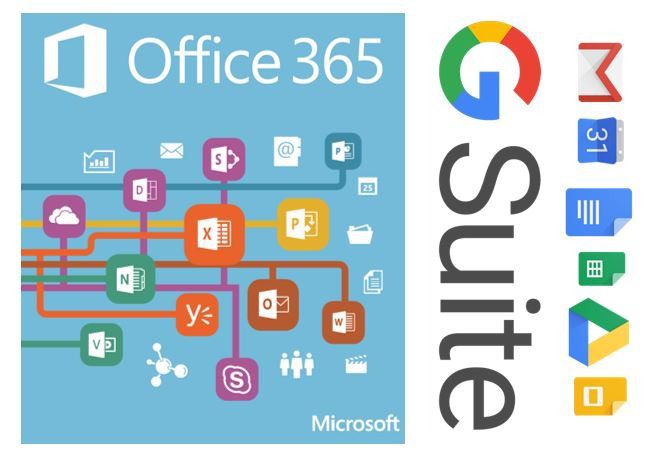
As of 2015, Google held 3 percent of the enterprise productivity suite software market, with an estimated $397.4 million in revenue, according to research firm Gartner. Microsoft, with almost $12.7 billion in revenue, held a little more than 95 percent. That’s a gap Google clearly hopes to close with its recent push into enterprise. The company has been adding artificial intelligence features to tools, and even released a piece of hardware that integrates with G Suite, its Microsoft Office competitor, to attract the kind of enterprise customers that are entrenched in Microsoft products. From the statistics stated above there is obviously a competitive space, and Here at Think Cirrus, we meet businesses who use G Suite and Office 365.  As a result, in a bid to help you fully understand which ones would suit your business, we on a path of exploration to discover what was so good about Google’s G Suite and why Office 365 seems to get a reputation as the old stuffy one. Let’s see what’s different about Google and what’s new with office 365.   What is G Suite Business and what does it offer? G Suite from Google Cloud is a set of intelligent apps including Gmail, Docs, Drive and Calendar which can connect the people in a business, no matter where in the world they are.  G Suite is offered to professional customers in different price tiers (basic, business and enterprise) and different versions. A free version of G Suite for educators, for example, is comparable to the business version, but with some modifications, according to a Google spokesperson.  Many tools that are part of G Suite are available for free to consumer users with Google accounts; these tools include Gmail, Hangouts communications tools, word processor Docs and Excel competitor Sheets.   The summary of features include: Take Gmail to Work Store and share files Work from anywhere Business grade security Easy IT Administration Work with popular file types What is Microsoft Office 365 Business Essentials and how does it compare? Microsoft Office 365 is the Office you know, plus tools to help you work better together, so you can get more done—anytime, anywhere. Microsoft Office is a set of interrelated desktop applications, servers and services, collectively referred to as an office suite, for the Microsoft Windows and macOS operating systems.   The latest Office apps include: Word, excel, PowerPoint, one note Email and Calendars Instant messaging and conferencing – Skype for Business Yammer – corporate social network Security     As a small to medium enterprise – what do I need to consider when choosing a suite for my business? G Suite and Office 365 both seem to have all the same features. You can work anywhere, and stay connected. According to Anito, MD at Think Cirrus says: “I think that G suite is great if you need something simple for your business, which contains email and a collaborative cloud platform. However, if you want a mature platform with added security, integrated telephony functionality such as online conferencing and skype for business then Microsoft would be a better platform for you. So, it completely depends on our needs and the size of the business.” Summary Both G Suite and Microsoft Office 365 can compete with one another across the board. Google comes out on top in terms of collaboration and ease of use, while Microsoft strengths lie in offering a suite that is feature rich and capable of processing detailed documents and copious amounts of data. Organisations currently using Google’s email client will find it an easy transition to move further down the G Suite path, with the same being relevant for those currently using Microsoft’s Outlook email client. For businesses wanting an online suite that is most simple to use, Google is the ideal option. Its one-stop-shop approach is particularly attractive to businesses starting out and those looking for a clean and responsive productivity suite. Yet Office 365’s user interface is one that most will be familiar with, drawing on Microsoft’s extensive experience with productivity tools.   If you’d like to some research of your own here are some links: https://products.office.com/en-gb/business/office-365-business-essentials https://gsuite.google.co.uk/intl/en_uk/solutions/small-business/?tab_activeEl=tabset-companies

Think Cirrus/ Brace yourself scammers are coming meme
Blog

Beware: Phishing emails, links, or phone calls!! Learn how to recognise and ignore!

A few weeks ago, one of our clients had an issue with their MacBook Pro – they had become completely locked out. When they attempted to log in a ransom message appeared outlining the need to pay $50 to unlock the MacBook. We have subsequently learned that our client had opened a phishing email – which meant that the hackers managed to acquire our client’s username and password. We then thought we’d try and advise you all on what to look out for because anyone with a pc, mac or desktop and an internet connection can send and receive emails. And we don’t need the negative presence of phishers, hackers and people up to no good to ruin our lives. Phishing email messages, websites, and phone calls are designed to steal money. Cyber criminals can do this by installing malicious software on your computer or stealing personal information off your computer. What does a phishing email message look like? We couldn’t get hold of the original phishing email, so here is an example of what a phishing scam in an email message might look like: (Image Courtesy of Microsoft) Things to look out for: Spelling and bad grammar Cybercriminals are not known for their grammar and spelling. Professional companies or organizations usually have a staff of copy editors that will not allow a mass email like this to go out to its users. If you notice mistakes in an email, it might be a scam. Beware of links in email If you see a link in a suspicious email message, don’t click on it. Rest your mouse (but don’t click) on the link to see if the address matches the link that was typed in the message. In the example below the link reveals the real web address, as shown in the box with the yellow background. The string of cryptic numbers looks nothing like the company’s web address. Links might also lead you to .exe files. These kinds of file are known to spread malicious software.   Threats Have you ever received a threat that your account would be closed if you didn’t respond to an email message? The email message shown above is an example of the same trick. Cybercriminals often use threats that your security has been compromised. Spoofing popular websites or companies. Scam artists use graphics in email that appear to be connected to legitimate websites but take you to phony scam sites or legitimate-looking pop-up windows. Cybercriminals also use web addresses that resemble the names of well-known companies but are slightly altered. Phishing phone calls – don’t give out personal info Cybercriminals might call you on the phone and offer to help solve your computer problems or sell you a software license. Neither Microsoft nor our partners make unsolicited phone calls (also known as cold calls) to charge you for computer security or software fixes. Once they’ve gained your trust, cybercriminals might ask for your user name and password or ask you to go to a website to install software that will let them access your computer to fix it. Once you do this, your computer and your personal information is vulnerable. Treat all unsolicited phone calls with scepticism. Do not provide any personal information. Phishing scams – recognise and report If you receive a fake phone call, take down the caller’s information and report it to your local authorities – you can report fraud as well as unsolicited calls. Here at Think Cirrus we’re a Microsoft Cloud Partner – so whenever you receive a phone call or see a pop-up window on your PC and feel uncertain whether it is from someone at Microsoft, don’t take the risk. Reach out directly to us or one of the Microsoft technical support experts dedicated to helping you at the Microsoft Answer Desk. Or simply give us a call and we’ll deal with it. You can use Microsoft tools to report a suspected scam on the web or in email. Internet Explorer.While you are on a suspicious site, click the gear icon and then point to Safety. Then click Report Unsafe Website and use the web page that is displayed to report the website. com (formerly Hotmail).If you receive a suspicious email message that asks for personal information, click the check box next to the message in your Outlook inbox. Click the arrow next to Junk and then point to Phishing scam. Microsoft Office Outlook 2010 and 2013.Right-click the suspicious message, point to Junk, and then click Report Junk. You can also download the Microsoft Junk E-mail Reporting Add-in for Microsoft Office Outlook.

Think Cirrus/Google Shopping/European Competition Commissioner
Blog

#MarketingNews: Spending advertising money on Google Shopping? Think again!

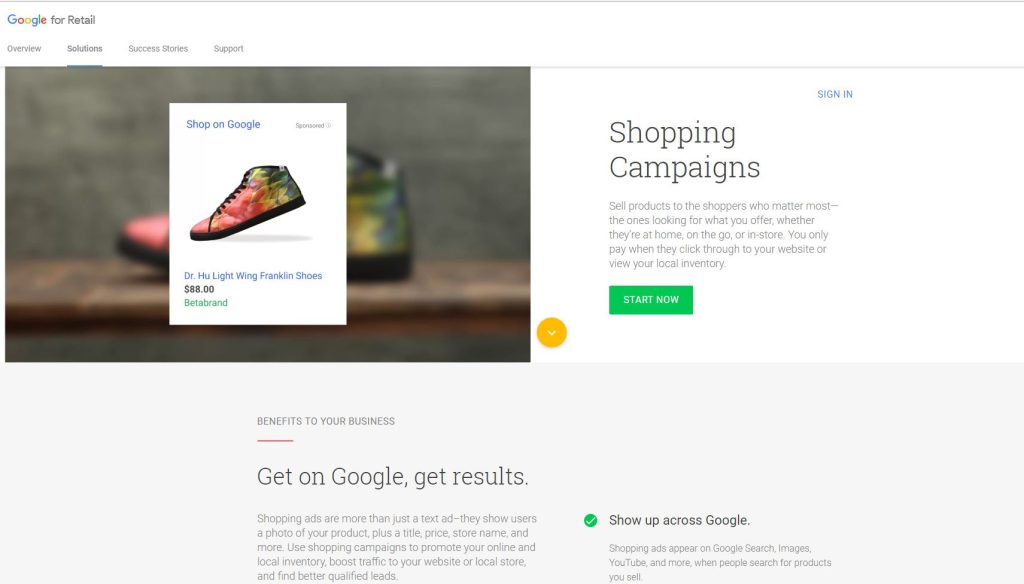
“If I feel more comfortable with the fair competition in the market place, I think people will feel more comfortable in society”, Margrethe Vestager – European Commissioner for Competition and former Deputy Prime Minister of Denmark said in an interview with Vice News after fining Google £2.1bn for abusing its dominance as a search engine. But is google still a threat to the hospitality, retail and tourism industries? The Google shopping comparison function is certainly something to be wary of when spending your hard-earned cash on a Google Shopping campaign to boost business. Google has been hit with a record-breaking fine by the European Union for breaking antitrust law following a seven-year investigation into the US company’s search algorithms, which ended with the judgement that Google had “abused its dominant position by systematically favouring” its own shopping comparison service.  Don’t be Evil – should you be wary about Google? Investigations into Google’s behaviour were triggered after the European Commission received dozens of complaints from U.S. and European competitors who claimed that the company abused its search market dominance to give its Google Shopping service an advantage over other retailers and create a monopoly over consumers. “EU antitrust rules apply to all companies that operate in Europe’s Economic Area, no matter where they’re based,” Vestager said. “The purpose is to ensure competition and innovation for the benefit of European consumers. Google has come up with many innovative products, and many innovative services, that have made a difference in our lives — and that’s a good thing. “But Google’s strategy for its comparison shopping service wasn’t just about attracting customers. It wasn’t just about making its product better than its rivals. Google has abused its market dominance in its search engine by promoting its own shopping comparison site in its search results and demoting its competitors.” “They reach merchant websites in many different ways: via general search engines, specialist search services, merchant platforms, social media sites, and online ads served by various companies,” Kent Walker, Google’s general counsel, said in a blog post. What now of hospitality and retail sectors? Google are one of the best poised to take on the likes of Expedia, Trivago and Booking.com, because they now have integration with flight data, hotel data, Uber and many others, so you could essentially use this service to plan the entire trip. At the International Hotel Investment Forum (#IHIF2017) in March, Terri Scriven, Google’s industry head for hospitality, emphasized how the tech giant works with hoteliers and others. She had plenty of practical advice for hoteliers about the need to hire data scientists and to integrate a hotel’s customer relationship management (CRM) system with the property management system or PMS. Asked about the ability of hotels to analyse and use data, Scriven replied: “It’s horrible, it’s kind of hitting my head against a brick wall on a day-to-day basis. But there’s progress being made which is good.” In an interview with Trip Tease, Terri Scriven, stated that she works to drive traffic direct to hotel websites. “Destinations Google – it allows you to match specific hotel data and flight search data with key phrases typed into google search bar.  People are searching in micro-moments which is why Destinations is only on mobile. Hilton saw an incremental increase of 40% by using hotel ads.” In this interview – Terri seemed to talk about working with the likes of Booking.com and independent hoteliers equally to drive traffic to both – giving a fair approach to supporting customers of Google Shopping and Google Ads in general. It seems that Google are trying not to be evil, especially after their horrendous financial punishment. But in terms of the business owners, using Google ads is still effective to drive traffic and remarketing lists are even more so. However, the money you have to spend is still unpredictable and based on the relevancy of the keywords and campaigns. Sources of Information https://www.youtube.com/watch?v=Ig8JdfZnabY – See this 19 minute sky broadcast to get a taste of the investigation. https://www.youtube.com/watch?v=bvWDubX4sB8 – This video is nearly 60 minutes. Margrethe Vestager goes into details about the investigation and the findings. https://www.youtube.com/watch?v=xXz9PFy4p88 – An interview on BBC – talks about how the big tech giants are abusing their power. https://www.youtube.com/watch?v=Qgx6Ru_Hst8 – Trip tease talks to Terri Scriven https://www.youtube.com/watch?v=ks3ZB_H1OZM – Interview with Margrethe Vestager from Vice News https://www.youtube.com/watch?v=timl8PdW8Es – The economist interviews Margrethe Vestager

Speak to an Expert
Book a Meeting ×
Scroll to Top