Blog

Operating system update
Blog

Operating Systems: Ensure Yours Has Your Back!

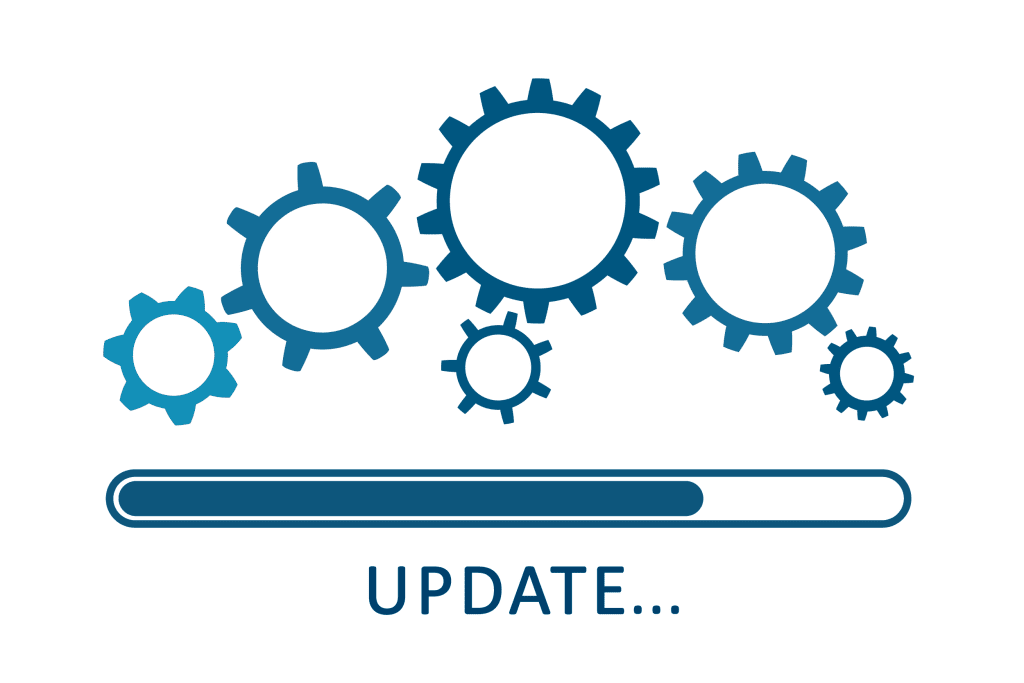
Operating systems – do you know how to keep yours happy and healthy? As we become ever more tied to our tech it is crucial that we give it a bit of TLC. We get it – we know how busy you are – you most likely run day-to-day, week-to-week with our laptop docked or desktop permanently switched on, not providing it with so much as a restart until it becomes a bit laggy and you are forced to – are we close? ? Whether you are an SME or operating a larger setup, responsible for a bank of machines or just your own, Apple or Windows orientated, the rule is the same:  your operating system is your best friend – it is something that you should be familiar with, it is what sits in the background and makes all the apps, programmes and systems you are so reliant on for your day to day activity run smoothly. Simple – treat it with respect and it will in turn be kind to you. Without an operating system your computer is useless, so you want to look after it, be familiar with which system you are running (so updates and any issues are on your radar) and try to keep it current. So, first things first – which operating system are you running? For the purposes of this post we are going to keep it simple and just stick to Windows and OS – if you have queries about your Linux system feel free to get in touch and one of our friendly IT specialists will be happy to advise. Windows As all versions of Windows look slightly different the easiest way to find which system you are running is to create a Run command > you do this by pressing the Windows button + R button together – when the black box appears type winver and press enter.  You want to take note of the version and edition of Windows that you are running so that you know how current your system is, what updates may be available, what software you can install, what is compatible in terms of device drivers, if you have a problem and need to contact an expert for tech support they will probably ask which system you are running first. The most current version of Windows is Windows 10 version 2004 which was released May of this year. Microsoft releases updates every 6 months or so and it is good practice.  Point to note: if you complete the above and discover you are running Windows 7 – support for this system ended in January so we strongly advise you upgrade your system – please talk to us for advice if you are unsure. Mac OSMac currently name their operating systems after landmarks in California – Catalina, Mojave and High Sierra being the most recent with Big Sur on the horizon for launch this autumn.  To discover which system you are running: From the Apple menu in the corner of your screen, choose About This Mac. You’ll see the macOS name, such as macOS Mojave, followed by its version number. Ensuring you keep your operating system up to date will ensure that your computer receives all the latest features and is working as efficiently as possible for you. TOP TIP: Think carefully about when you are going to run an update – it can put your machine out of action or at least slow it down, we advise running an update in the evening or overnight so it causes you minimal disruption.  All feel a little overwhelming? At Cirrus we take care of all things IT related for our clients so that it is one less thing to worry about. Our fully managed IT support solution ensures that our client’s systems are supported 24/7, patch dates are completed as needed without you having to lift a finger. Fancy treating your business to a FREE IT health check – get in touch and we will be glad to give your systems our expert attention.

Understanding 5G Technology
Blog

5G: Understanding The Technology

5G – understanding the technology and how it can impact your business!   In light of the recent Government decision to ban Huawei’s kit from the UK’s 5G network and also stop the use of its equipment in full-fibre broadband networks by 2027, we take a look at 5G and examine how it’s changing the way we connect and communicate on a fundamental scale, but most importantly, what it does and how it works.   Most of us know what 4G is – up until recently it was the current standard for mobile networks that enabled faster browsing which allowed us to do more things on the move, like watch videos for example. However, back in 2019, 5G started its worldwide roll-out that would further surpass its earlier generations, meaning BIGGER and BETTER things to put it in laymen’s terms. Why Is 5G Better Than Other Generations?  5G technology is not only more reliable, efficient, smarter, and faster than anything before, it also boasts ultra-low latency which is the time it takes for your wireless device to perform an action and that action then being completed, meaning a rapid increase in responsiveness.   Let’s talk speed – 5G promises high data speeds that exceed the fastest home broadband network currently available on the consumer market (that’s HUGE). 5G has a current max speed of up to 10 gigabits per second making it 100 times faster than 4G.   But the biggest difference is connectivity and capacity – these developments provide the potential for new, innovative services and that’s VERY exciting…  How Can 5G Be Used?  With greater capacity, thousands of devices in a small area can be connected at the same time, that includes machines, objects, and other devices. With this incredible innovative technology that virtually connects everyone together, it comes as no surprise that 5G has already been tried and tested across a multitude of sectors, potentially affecting every industry, every business and individual.   With the use of 5G, manufacturers could use smart machinery to gain and retract real-time data to improve efficiency. For example, transport networks, local councils and public bodies could dramatically improve services such as parking, traffic maintenance and street lighting.  Healthcare is another sector that could massively benefit from embracing 5G as the technology could allow medical students to practise surgeries in a connected, virtual reality environment that reflects a real-life experience.  Is 5G Available In The UK?  Yes, 5G became available in the UK at the end of May 2019 via EE and Vodafone networks, shortly followed by O2 and Three. With the release of 5G plans from the UK’s main networks there is already an abundance of 5G phones available such as the Samsung Galaxy S20 range OnePlus 8 and LG’s Dual Screen V60 (you will need a 5G supported phone to use 5G). However, Apple is still yet to launch a 5G phone – some rumours being that the next iPhone launch in September 2020 (or slightly later due to Covid-19) will support 5G but this has not been confirmed yet.   How Will The Huawei Ban Effect My Business?  To date Vodafone, Three and EE have all invested in installing Huawei 5G kit which will now need to be replaced. The main impact will be a possible disruption to the 5G service that businesses are currently utilising as this is completed, however, given that the companies have until 2027 to carry out the replacement then this is unlikely.  The main impact is that 5G is expected to remain patchy for longer with a completion date for full coverage of the UK further down the line. There is also a potential impact to fibre broadband which relies upon Huawei kit at local exchanges. Again, it is early days and alternative suppliers are being sought, however, this could affect the speed at which that nationwide rollout of gigabit broadband will take place – particularly crucial for more rural businesses. On the flip side it may also speed up the rollout of 5G as the ban has now resolved the caution issues over Huawei which was causing a lot of companies to hold off from upgrading their hardware – only time will tell.  For more information on 5G and the impact this new wireless technology means to you and your business, click here to read Ofcom’s report. We will be tracking the developments and will keep you updated as new information unfolds. Make sure you are signed up to our mailing list to get our regular blog round up direct to your inbox! 

Blog

Cybersecurity – Working From Home, how safe are you?

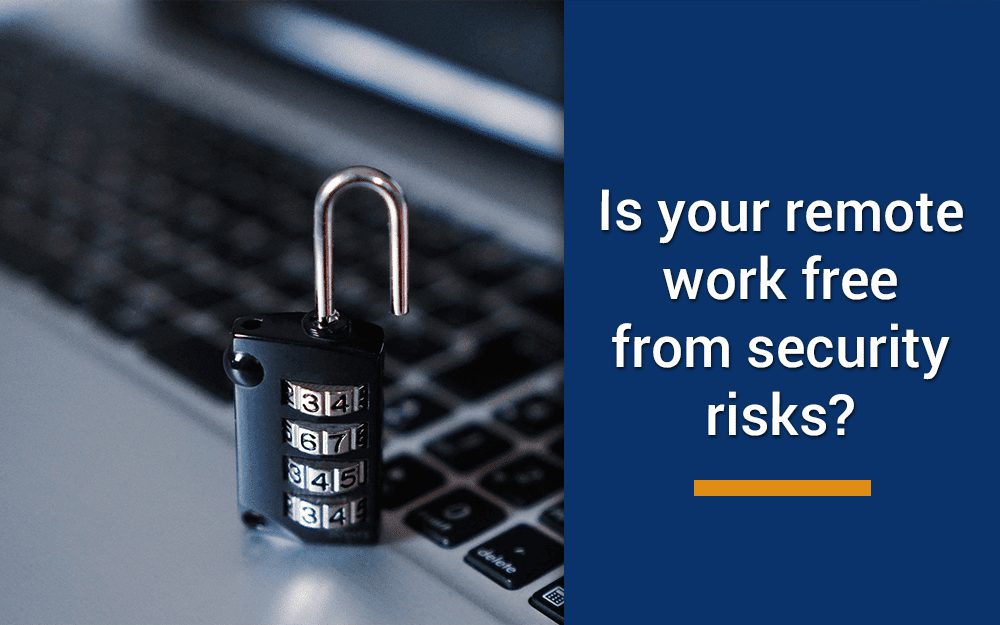
  Cybersecurity – Working From Home, how safe are you? Many are now working from home, making video conference calls, uploading documents and conducting their daily business online. But experts are wondering if the remote nature of work could cause extra internet security concerns down the road. While most workers are used to working at the office under carefully crafted IT systems, it’s impossible to quantify the number of permutations of home internet setups. Where one household could have a simple solution that works for their family, another household could have a virtual private network (VPN) subscription in place to mask their internet usage from prying eyes. To help you reduce the security risks you may be taking while working from home, we’ve collected some tips from experts on steps you can take to fortify your digital workspace. 1: Pay Careful Attention Be diligent in everything you do. In the past, only around 15% of people worked from home, so IT teams could tailor security systems to protect corporate information. With companies now allowing up to 95 percent of their staff to work from home, it’s a lot more complex. You need to keep a close watch for anything out of the ordinary that could indicate someone has access to your system. Read up on your company’s IT security policies and procedures, and report any problems and issues to your help desk as soon as you spot them. 2: Update Your Passwords Check all your passwords and update them if you haven’t done so recently. This is especially important if you’re still using a default factory-issued password anywhere. Keep your passwords private and store them securely using an encrypted password manager, and don’t leave it open on your computer when you’re not at home. The Hackers out there know how often people ignore this issue, and they target the weak infrastructure in people’s homes to try to get into the corporations they work for. 3: Watch Out for Scams Watch out for strange emails asking for information. Never open any unsolicited email attachment until you’ve confirmed with the person who sent it to you, because just one click or download can lead to a malware infection or loss of data, and impact your financial health. 4: Verify All Hyperlinks In the office, it’s easy to walk up the corridor and ask someone if they sent you that suspicious-looking email. That option is gone with WFH. Hover over every link before clicking it to see if it looks authentic, and scrutinize the email it came with to check for signs of phishing. If you have any doubts at all then look at the domain in the URL and google it to verify it independently before you do anything further. Some adversaries create links that look very similar to the real thing, so be careful! 5: How safe is your IT equipment ? If you’ve had some of your IT equipment for a long time, search for the brand and model online to see if there are ways to harden and secure the devices. Don’t share the devices you use for working from home with other people, and download any software updates and patches that are available for your devices. If you are unsure on how to do this, speak to one of our team and we will ensure your systems are up to date. 6: Protect Video Meetings We don’t hide the fact that we are not a fan of Zoom and as reported in the press worldwide, thousands of peoples security has been severely compromised of late. Work remotely and securely with online meetings, with Microsoft Teams. Now more than ever, people need to know their virtual conversations are private and secure. With Microsoft Teams, privacy and security are never an afterthought. It’s their commitment to us all —not only during this challenging time, but always. Our experienced teams at Cirrus can get Teams all set up and running for you in no time at all and also train and educate you on getting the best possible experience using TEAMS. Working from home securely and collaboratively. If you feel your working from home strategy needs further bolstering or security measures need reviewing, then call or contact our team of experts for further help. 0330 313 0966 hello@thinkcirrus.co.uk  

WARNING covid-19 SPAM EMAIL
Blog

WARNING COVID-19 SPAM EMAILS

WARNING COVID-19 SPAM EMAILS Reports are showing a high amount of spam emails pretending to be official sources and updates of Corona Virus information Here’s some of the emails you should be looking out for and be wary of. https://www.bbc.com/news/technology-51838468 IF YOU ARE UNSURE……DON’T OPEN IT!!!!! CIRRUS TECHNOLOGY SOLUTIONS ARE STILL WORKING, PROVIDING OUR FULL MANAGED IT SERVICES. IF YOU HAVE ANY CONCERNS, OUR SOECIALIST TEAM ARE HERE TO HELP HELLO@THINKCIRRUS.CO.UK http://www.thinkcirrus.co.uk

Blog

Half of employers not geared up for remote ‘smart’ working, amid coronavirus fears

Half of employers not geared up for remote ‘smart’ working, amid coronavirus fears NEWS : IT company offer FREE help during Corona Virus OUTBREAK to Businesses  Forty eight per cent of businesses in the UK are not in any way set-up to be able to accommodate workers who may need to self-isolate – should they display any symptoms. Cirrus Technology solutions based in Chester is offering all Businesses in the Midlands and Northwest  it’s services free of charge to help with the economical strain the Corona virus is having on Businesses. With the increase in numbers daily, the question of employees being quarantined and not able to go into work – Managing Director Anito Lauriello , has decided to step in and try and help. With major companies like Amazon, Twitter Microsoft keeping employees away and remote working – businesses should be prepared whatever their size . As the deadly coronavirus continues to spread worldwide, organizations are looking to keep employees healthy and businesses running. To combat this Cirrus is offering FREE remote set up for businesses !  These include : Corona Virus Impact Business Help Remote working in the form of systems and phones 1. Get your files from anywhere 2. Phone diverted to wherever you are working 3. Stay productive 4. Keep connected 5. Maintain productivity 6. Good for employees and employers alike 7. We can get you setup today  Anito Managing Director says “With the uncertainty rising in the UK , businesses are getting increasingly worried about the impact the Corona virus is going to have on their businesses. I have decided to offer our services to help companies set up remote working for their employees free of charge, to try and help reduce some of the pressures for other businesses like my own.”  “Hopefully, it may not be needed, but it’s best to have the systems in place should it be required, to try and reduce the impact on their business as much as possible” If you would like more information please contact:  Cirrus Technology Solutions http://www.ThinkCirrus.co.uk Tel: 0330 313 0966

Blog

Google’s users in the UK will no longer be protected by Europe’s strict GDPR

Google’s users in the UK will no longer be protected by Europe’s strict GDPR Google is planning to move its British users’ accounts out of the control of European Union privacy regulators, placing them under U.S. jurisdiction instead, sources said. The shift, prompted by Britain’s exit from the EU, will leave the sensitive personal information of tens of millions with less protection and within easier reach of British law enforcement. The change was described to Reuters by three people familiar with its plans. Google intends to require its British users to acknowledge new terms of service including the new jurisdiction. Ireland, where Google and other U.S. tech companies have their European headquarters, is staying in the EU, which has one of the world’s most aggressive data protection rules, the General Data Protection Regulation. Google has decided to move its British users out of Irish jurisdiction because it is unclear whether Britain will follow GDPR or adopt other rules that could affect the handling of user data, the people said. So, what could this mean for UK Google users? If British Google users have their data kept in Ireland, it would be more difficult for British authorities to recover it in criminal investigations. The United States has among the weakest privacy protections of any major economy, with no broad law despite years of advocacy by consumer protection groups. In a nutshell, Privacy for UK google users is a great concern following this news Anito Lauriello Managing Director of Cirrus Technology solutions says “Google stores more personal and business data than anyone else on the planet! We are leaving the EEC but we have fully adopted all the Eu laws into British laws even after we leave and they all still apply UNTIL the UK chooses to start removing or altering them! It would be wise for the UK government to fully establish GDPR and to state fully that its still applies to all UK citizens and Google cannot circumvent that.” ​ Lauriello goes on to say ” What concerns me is that there are many businesses out there that probably keep confidential documents on Google Drive, some describing products or services that could be competitive to Google. Would Google misuse this change in data protection to access that data covertly under the pretence of social good/crime fighting etc, even if there was no such threat? My opinion is that Google taking this action is almost certainly based on grabbing more data” On the plus side UK/EU business would likely move to Microsoft in order to protect their data! If you would like to discuss your Data Storage options, then drop us an email hello@thinkcirrus.co.uk Google’s users in the UK will no longer be protected by Europe’s strict GDPR

Blog

Top tips for disaster recovery planning

With Storm Ciara and Storm Dennis having caused widespread damage to many homes and businesses, it really is so important to have a disaster recovery and data back up in place. We are very aware of the ongoing issues that extreme weather is having an effect on Business. Let’s talk about top tips for disaster recovery planning. Disaster recovery sounds deadly serious and scary, but it’s simple really. The key to Disaster Recovery success is having a set of objectives that are realistic and just right for your business.  Essentially, you need to think about three things – planning, preparation and technology. I know it might sound simple, but a Disaster Recovery plan needs to represent all functional areas within I.T. and across your business before, during, and after a disaster. It needs to include applications, networks, servers & storage. Contingencies, such as “what-if” scenarios should be considered as part of planning process. Decisions need to be made regarding levels of disruption that will constitute a disaster, downtime and loss tolerances. This plan needs to be written down and accessible. Analyse impact, understand risks and prioritise recoverability. Here are some top tips to follow to help with your disaster recovery planning: Disaster Recovery is an INVESTMENT – not a cost Data protection and recovery requirements may seem too expensive and Disaster Recovery is considered a particularly heavy expense, one that most organisations have a great deal of difficulty absorbing. However, think about it – being able to address the I.T. cost for Disaster Recovery is an issue of integrating Disaster Recovery into standard operations as much as possible. Ideally, the Disaster Recovery resources and equipment are not viewed as technologies that are sitting idle. Ultimately, this comes down to making an informed decision of either spending money or accepting risk. Newer technologies are emerging that make this more cost effective. Regardless, Disaster Recovery needs to be treated as an investment. It is an insurance policy. Realistic Disaster Recovery Objectives Prioritise your Disaster Recovery policy. Business continuity is important for any company, no matter how big or how small. However, in fact, some small business may feel it more because they don’t have the man power or infrastructure in place to be able to deal with an emergency. So, lets looks at the Disaster Recovery capabilities and resources of your business.  Are your goals attainable? If something goes down, how long do you expect it to take to be up and running again? Depending on the size of your business you might already know this, but for the novices out there it is important to set realistic Recovery Point Objectives (RPO) and Recovery Time Objectives (RTO). Question. When does the clock start ticking and what tolerance is permissible for an outage? Those are Recovery Point Objectives to consider.  As for the Recovery Time Objectives, ask yourself how current is the data prior to the disaster? These are the key matrix items that need to be determined and supported. It is important to examine whether the infrastructure can support the goals. Keep the Disaster Recovery Plan Current Disaster Recovery planning needs to be part of the day-to-day operations of the I.T. environment and even though it is an exception, it should always be at the forefront of people’s minds. Once the Disaster Recovery plan is created, it needs to be maintained and updated every time anything changes within the I.T. environment. The dynamic nature of I.T. and technology ensures that the Disaster Recovery plan will fail if the management of the plan is not part of change management. Test The Disaster Recovery Plan! The Disaster Recovery plan needs to be tested regularly to ensure the business can recover the operation successfully and in a timely fashion. Disaster Recovery testing is a major challenge for most IT departments, but if recovery has not been tested all the way to the application level, it is very likely that problems will occur. Even though a Disaster Recovery test is a major operational disruption it shouldn’t be treated as a pro forma exercise but needs to include true end-to-end testing all the way to production. The focus needs to be on recovering applications rather than servers since with today’s complex applications, client server and web-based multi-tier applications, the components reside on multiple servers thus there are interdependencies between these. If disaster recovery has not been tested all the way to the application level, it is very likely that problems will occur. The philosophy for Disaster Recovery testing needs to change. Basically the approach used for software quality testing should be adopted, where finding bugs is a positive thing. Finding problems in Disaster Recovery is equally positive as long as these issues are resolved to eliminate problems during a real disaster. Disaster Recovery Risk The Disaster Recovery plan needs to address the right risks. Disaster recovery is essentially an insurance policy. How much and what kind of insurance is needed? What sort of risks is the organisation willing to take? The definition of what constitutes a disaster that is covered by the plan has to be considered. Many recent disasters were floods but various kinds of other weather activity and fires need to be considered as well. There are elements within the organisation’s environment that need to be considered from the standpoint of what constitutes a disaster. A site outage, application outage, or even a server outage could constitute a disaster for an organisation. Disaster Recovery BACKUPS What happens when the backups don’t work? For many, tape backup is still the primary medium for disaster recovery, certainly for off-site disaster recovery. Who uses tapes anymore?  As an alternative, replication across a WAN is growing, but it might be too costly an option for some businesses. Application recover-ability must be validated through the recovery of backups to the application level. Get in touch today to discuss how Cirrus can assist you with your Disaster Recovery Plan (DRP) and give you peace of mind.

Scroll to Top