Blog

Blog

Q&A’s With Nurul Mansor

Name: Nurul Mansor Job role: Office Manager Qualifications: B.Eng Mechanical Engineering (Hons) – IIU MBA – University of Chester Certificates: N3 level – Japanese Language Proficiency Test Length of time at Cirrus: Over a year In a nutshell, what do you do at Cirrus? Order processing and process creation When you are not at Cirrus you can be found… At home, reading and chilling. If the weather is nice, I am mostly with my friends out at the park What inspires you? My parents If your team members had to describe you in one word what would it be? Asian 😀 What is your go to drink order? Coffee What will you never be seen without? My glasses Favourite quote: There is always a blessing in disguise Something no one knows about me is… I once fell off from 2nd floor when I was a kid and walk away fine If you had to be an animal what would you be and why? A squirrel so I can climb trees

Technology & The Hospitality Industry
Blog

Hospitality IT: 5 Crucial IT Services Hospitality Businesses Need To Consider

Hospitality IT – do you know where to start with your IT? Whether you’re new to the industry or an establish business, hospitality IT is essential. Your skills and knowledge are in the hospitality industry, not in IT. So why would you want to spend precious time working out what IT systems your business needs and how they all work together? The answer – you don’t, that’s where Think Cirrus come in. IT support is at the very forefront of what we do and we’re on hand to provide you and your business – whether it be a bar, restaurant or hotel – with a fast, reliable technology infrastructure that is fully supported by our IT experts 24/7, because IT isn’t just 9-5. We also have advanced 24/7 monitoring tools that alert us to any IT issues within your business – this then allows us to rapidly resolve the problem before it affects you and your customers. We have support plans available for a small fixed monthly fee which incorporates all the daily support your business needs or the choice of adhoc support. Networks and Infrastructure A major priority within any hospitality business is your IT networks and infrastructure as they consist of several fundamental services that work together in order to provide you with performance and efficiency that will streamline your trading process. Wifi – having fast and reliable internet connection is key, which is why we supply and install superior, high-quality wifi equipment that promises complete coverage for your entire premises. Guest wifi (which is usually for public use) and the business’s internal wifi are kept completely separate so that all data and personal information is kept safe and secure. Cloud-based applications – not only do we provide tools such as Microsoft 365 and SharePoint for all of your administrative needs, we also manage and maintain cloud-based applications that help facilitate online bookings and payments such as an Electronic Point of Sale (POS) which stores your sales information securely within the cloud, making it easy to access and manage from anywhere. The advanced data synchronisation framework allows the till to stay online even if the internet connection goes offline. We can also supply you with the latest IT equipment and business broadband solutions that will help your business run at optimum speed and at the highest performance levels. Telecoms Technology is ever-changing but the need for ‘traditional’ voice telephony stays, especially in the hospitality business. However, the way in which we utilise telecoms has progressed since the landline. VoIP – this internet-based telephone system is much cheaper than your standard phone line and less restrictive than a mobile tariff. This voice and conferencing system is really simple to use and boasts several smart features like the ability to answer calls anywhere using the ‘twinning’ functionality that twins your mobile to your landline, giving you and your staff the flexibility to work wherever you want. Our experts can install your VoIP system at a day and time that suits you, so your business isn’t interrupted. CCTV CCTV is an essential tool for most business premises – not only is it an effective deterrent, it can also help to ensure the safety of your customers and staff, and supplies a source of evidence should you need it for an incident. Security systems – Our expert team of engineers have the skills and knowledge to install a modern, digital CCTV system that will monitor all activity. We provide tailored CCTV solutions that work for you and your business’s needs, whether that is with a standard security system or amped up to include vehicle registration sensors or offsite monitoring streamed to your phone, we have you covered… literally. Cyber security “One-size fits all” is not how we operate when it comes to cyber security – we will provide your individual hospitality business with a bespoke solution that will keep it robust against cybercrime. Cybercrime is one of the biggest business challenges of our generation, and a failure to prevent it can have serious financial and brand reputational consequences. PCI compliance – in today’s digital age, most people pay via card which means you hold sensitive data and payment details. It’s vital that you become PCI compliant in order to protect your customers and your business against cyber attacks and data breaches. We will work hard to maintain your network, devices, and internet connection to protect data and help to keep you compliant. PCI compliance – in today’s digital age, most people pay via card which means you hold sensitive data and payment details. It’s vital that you become PCI compliant in order to protect your customers and your business against cyber attacks and data breaches. We will work hard to maintain your network, devices, and internet connection to protect data and help to keep you compliant. Think Cirrus have been supporting hospitality businesses like yours for years, which is why we are proud to say that when it comes to IT, we know our stuff! Ask any of our clients such as The Chesterfields Pub, Bar Lounge and Vin Santo to name a few – each of these successful hospitality businesses had their own IT needs and after an audit of the premises and a meeting with the managers, we provided each business with their very own tailored IT package. Have you recently opened a hospitality business and not sure where to start with IT? Are you considering changing your outsourced IT supplier? Does your IT system need upgrading? Contact us today and we will talk you through a bespoke package for your individual business’s needs.

Blog

Ransomware: Cyber Criminals Launch an Attack on A Famous US Liquor Company With Ransomware

Ransomware – regardless of the size of the company, no one is protected from a cyber-attack. For those of you who don’t know who Brown-Forman is, they are a US multi-billion-dollar parent company who own the well-known spirit brand Jack Daniel’s whiskey amongst other global brands. In recent news, Brown-Forman has been the latest high-profile victim of a ransomware attack that is rumoured to be the result of notorious cyber criminals known as REvil or the Sodinokibi gang. The infamous REvil group are a generation of “new wave” cyber criminals who’s three-step strategy ends in double-barrelled blackmail. Here is how they operate their menacing master plan: Breaking and entering – not the physical kind, but the digital kind. These are highly intelligent cyber criminals who have obtained the skills to hack their victim’s network and grant themselves system admin level access without being noticed. They will then scope the victim’s sensitive data on their servers, hunt for online backups and inject system administration tools that can be exploited when they come to attack later. They then tamper with system security settings and create a set of ‘mini-attacks’ using malware to test which methods are successful at striking the main system. Just like a thief, they steal – we’re not talking jewellery or cars, we’re talking sensitive data and lots of it. In the Brown-Forman attack, the cyber criminals claimed to have stolen 1 terabyte of data spanning back over the past 10 years. Encryption is key (for them) – just when you think it cannot get any worse, the cyber criminals encrypt as many files as possible on the network using a clever scrambling algorithm that they hold the key for. The aim of this is to cause maximum disruption in minimum time. Luckily for Brown-Forman they managed to prevent step 3 of the attack so didn’t have to go offline which would have caused a detrimental impact on the business. How does this relate to my business? Anyone can be a victim of cybercrime – companies large or small and in the majority of cases, the aim of a ransomware attack is to steal data. If the breach is successful, not only is your business now a victim of a cybercrime but it also means your business has failed to protect data that it was meant to protect – this could be staff, customers or company data. Prevention, prevention, prevention – we really mean that! Cyber security is one of the most important IT systems that all businesses should have in place. It is crucial. But don’t worry, if you don’t have a system in place or are concerned your present practices may not be robust enough, we can help you. Visit our dedicated cyber security page for more details or contact our experts today to arrange a meeting.

Blog

Microsoft Teams: Explore The Advantages

Microsoft teams – What is it exactly? Over the years we have tried and tested multiple collaboration-based platforms, but there is only one winner in our eyes – Microsoft Teams. Better yet, it is totally free to use making it the ideal solution for businesses who work in a professional team setting. What is Microsoft teams exactly? Well, it is a chat-based collaboration platform that provides global, remote, and dispersed teams with the ability to work together and collaborate using highly effective features such as document sharing, one-on-one chat, online meetings, video calls and screen sharing just to name a few. In today’s modern era, not every employee is required to work within the company’s office – some prefer to work from home or even oversees, so having an intelligent team space like Microsoft Teams is fundamental because it allows the ability for colleagues to continue working productively and communicate instantly regardless of where they are located. Image courtesy of www.techcommunity.microsoft.com Chat from anywhere Chat between teams, groups, and individuals – you can even send gifs, stickers and emojis. Meet from anywhere Teams of 10 – 10,000 can meet in one conference call – invite people from inside and outside your business, it is the ideal solution for company-wide meetings and even training. You can take full advantage of the scheduling aid, note-taking app, file uploading and in-meeting chat features. Call from anywhere Anyone can join an online meeting via phone with a dial-in number – you can even jump on a call whilst on the move. Microsoft Teams can even fully replace your VoIP phone system which could save your business £££. Collaborate from anywhere High-quality, fast video calls can be made within your business or externally to your clients with a click of a button. Utilise Microsoft’s SharePoint and document library to share files such as Word documents, Excel spreadsheets and PowerPoint presentations across all conversations in real-time. Why should your business use Microsoft Teams? Apart from the fact that it is one of the smartest collaborate-based tools, it is also extremely user-friendly and be rolled out over small and large businesses with ease. At Think Cirrus we are Microsoft Cloud Partner so we can provide tailored training to team members should they require any help. If you would like to discuss Microsoft Teams in more detail and find out how it could help your business with collaboration and productivity, please get in touch with one of our experts today.

Microsoft Facebook
Blog

Microsoft 365: An Impressive Range Of Features And Benefits In One Powerful Subscription

Microsoft 365 – what does it have to offer? Back in April 2020, Office 365 evolved into Microsoft 365 – forming the new and improved subscription that would further support you and your business through everyday life using new artificial intelligence (AI) and cloud-powered experiences to better manage your time, enhance connectivity and amplify security. Grab a coffee and take a few minutes to think about the bigger picture of your business and how you want it to operate moving forwards because we are about to reveal why this productivity cloud ticks all the boxes for slicker, smarter working. Productivity on the move – whether you are working from home, in the office or even at the airport, Microsoft 365 focuses on connectivity between you, your employees, your clients, managing key information and vital content so that collectively you can continue to collaborate with your teams using the following features: Office applications – Word, Excel, PowerPoint plus more Email and calendars – Outlook and Exchange Chat, calls and meetings – Microsoft Teams Cloud storage – 1 TB of OneDrive storage Modernising paperwork – do not let piles of paperwork swallow you up! Improve the way you and your employees get work done by switching to smart tools designed to help streamline your business processes such as: Minimise manual paperwork – Microsoft Forms Tracked insights – Create surveys, polls, and questionnaires Repetitive tasks – Automate with Power Automate Apps – Integrate third-party apps with Microsoft Teams Safeguarding information – protect your business, employees, and clients by shielding sensitive information with enterprise-grade security that works as hard as you do with: Cyberthreat tools – Fights viruses, malware, phishing, ransomware, and spam attacks Device security – Manage your data across devices, apps etc IT management – Easy to set up and manage users, devices, and data Customer data protection – Defends against cybercriminals, unauthorised access, and accidental deletion   We think you will agree that the features are impressive, which is why we recommend Microsoft 365 to all our clients – large or small. If you are looking to make the move to remote working and virtual collaboration, then I would definitely advise having a chat with one of our team. As a Microsoft Cloud Partner we can examine your business and provide you with insight as to the best application in order to get you working smarter, furthermore we price match Microsoft so you get all the benefits of our expertise tailored to your business at the same cost as going direct. Our technical teams are Microsoft-certified and can provide you with in-depth and knowledge support whenever you need it. Contact us today for more information on how we can help your business integrate with Microsoft 365. Alternatively, if you are looking for a fully managed IT support solution that involves 24/7 support visit our dedicated page here.

Operating system update
Blog

Operating Systems: Ensure Yours Has Your Back!

Operating systems – do you know how to keep yours happy and healthy? As we become ever more tied to our tech it is crucial that we give it a bit of TLC. We get it – we know how busy you are – you most likely run day-to-day, week-to-week with our laptop docked or desktop permanently switched on, not providing it with so much as a restart until it becomes a bit laggy and you are forced to – are we close? ? Whether you are an SME or operating a larger setup, responsible for a bank of machines or just your own, Apple or Windows orientated, the rule is the same:  your operating system is your best friend – it is something that you should be familiar with, it is what sits in the background and makes all the apps, programmes and systems you are so reliant on for your day to day activity run smoothly. Simple – treat it with respect and it will in turn be kind to you. Without an operating system your computer is useless, so you want to look after it, be familiar with which system you are running (so updates and any issues are on your radar) and try to keep it current. So, first things first – which operating system are you running? For the purposes of this post we are going to keep it simple and just stick to Windows and OS – if you have queries about your Linux system feel free to get in touch and one of our friendly IT specialists will be happy to advise. Windows As all versions of Windows look slightly different the easiest way to find which system you are running is to create a Run command > you do this by pressing the Windows button + R button together – when the black box appears type winver and press enter.  You want to take note of the version and edition of Windows that you are running so that you know how current your system is, what updates may be available, what software you can install, what is compatible in terms of device drivers, if you have a problem and need to contact an expert for tech support they will probably ask which system you are running first. The most current version of Windows is Windows 10 version 2004 which was released May of this year. Microsoft releases updates every 6 months or so and it is good practice.  Point to note: if you complete the above and discover you are running Windows 7 – support for this system ended in January so we strongly advise you upgrade your system – please talk to us for advice if you are unsure. Mac OSMac currently name their operating systems after landmarks in California – Catalina, Mojave and High Sierra being the most recent with Big Sur on the horizon for launch this autumn.  To discover which system you are running: From the Apple menu in the corner of your screen, choose About This Mac. You’ll see the macOS name, such as macOS Mojave, followed by its version number. Ensuring you keep your operating system up to date will ensure that your computer receives all the latest features and is working as efficiently as possible for you. TOP TIP: Think carefully about when you are going to run an update – it can put your machine out of action or at least slow it down, we advise running an update in the evening or overnight so it causes you minimal disruption.  All feel a little overwhelming? At Cirrus we take care of all things IT related for our clients so that it is one less thing to worry about. Our fully managed IT support solution ensures that our client’s systems are supported 24/7, patch dates are completed as needed without you having to lift a finger. Fancy treating your business to a FREE IT health check – get in touch and we will be glad to give your systems our expert attention.

Understanding 5G Technology
Blog

5G: Understanding The Technology

5G – understanding the technology and how it can impact your business!   In light of the recent Government decision to ban Huawei’s kit from the UK’s 5G network and also stop the use of its equipment in full-fibre broadband networks by 2027, we take a look at 5G and examine how it’s changing the way we connect and communicate on a fundamental scale, but most importantly, what it does and how it works.   Most of us know what 4G is – up until recently it was the current standard for mobile networks that enabled faster browsing which allowed us to do more things on the move, like watch videos for example. However, back in 2019, 5G started its worldwide roll-out that would further surpass its earlier generations, meaning BIGGER and BETTER things to put it in laymen’s terms. Why Is 5G Better Than Other Generations?  5G technology is not only more reliable, efficient, smarter, and faster than anything before, it also boasts ultra-low latency which is the time it takes for your wireless device to perform an action and that action then being completed, meaning a rapid increase in responsiveness.   Let’s talk speed – 5G promises high data speeds that exceed the fastest home broadband network currently available on the consumer market (that’s HUGE). 5G has a current max speed of up to 10 gigabits per second making it 100 times faster than 4G.   But the biggest difference is connectivity and capacity – these developments provide the potential for new, innovative services and that’s VERY exciting…  How Can 5G Be Used?  With greater capacity, thousands of devices in a small area can be connected at the same time, that includes machines, objects, and other devices. With this incredible innovative technology that virtually connects everyone together, it comes as no surprise that 5G has already been tried and tested across a multitude of sectors, potentially affecting every industry, every business and individual.   With the use of 5G, manufacturers could use smart machinery to gain and retract real-time data to improve efficiency. For example, transport networks, local councils and public bodies could dramatically improve services such as parking, traffic maintenance and street lighting.  Healthcare is another sector that could massively benefit from embracing 5G as the technology could allow medical students to practise surgeries in a connected, virtual reality environment that reflects a real-life experience.  Is 5G Available In The UK?  Yes, 5G became available in the UK at the end of May 2019 via EE and Vodafone networks, shortly followed by O2 and Three. With the release of 5G plans from the UK’s main networks there is already an abundance of 5G phones available such as the Samsung Galaxy S20 range OnePlus 8 and LG’s Dual Screen V60 (you will need a 5G supported phone to use 5G). However, Apple is still yet to launch a 5G phone – some rumours being that the next iPhone launch in September 2020 (or slightly later due to Covid-19) will support 5G but this has not been confirmed yet.   How Will The Huawei Ban Effect My Business?  To date Vodafone, Three and EE have all invested in installing Huawei 5G kit which will now need to be replaced. The main impact will be a possible disruption to the 5G service that businesses are currently utilising as this is completed, however, given that the companies have until 2027 to carry out the replacement then this is unlikely.  The main impact is that 5G is expected to remain patchy for longer with a completion date for full coverage of the UK further down the line. There is also a potential impact to fibre broadband which relies upon Huawei kit at local exchanges. Again, it is early days and alternative suppliers are being sought, however, this could affect the speed at which that nationwide rollout of gigabit broadband will take place – particularly crucial for more rural businesses. On the flip side it may also speed up the rollout of 5G as the ban has now resolved the caution issues over Huawei which was causing a lot of companies to hold off from upgrading their hardware – only time will tell.  For more information on 5G and the impact this new wireless technology means to you and your business, click here to read Ofcom’s report. We will be tracking the developments and will keep you updated as new information unfolds. Make sure you are signed up to our mailing list to get our regular blog round up direct to your inbox! 
Blog

Cybersecurity – Working From Home, how safe are you?

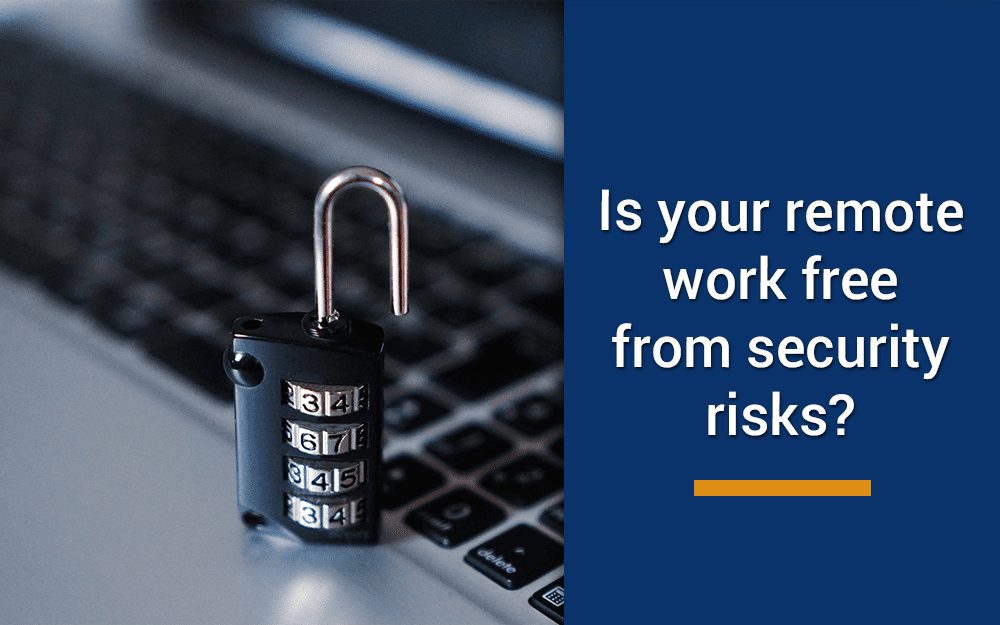
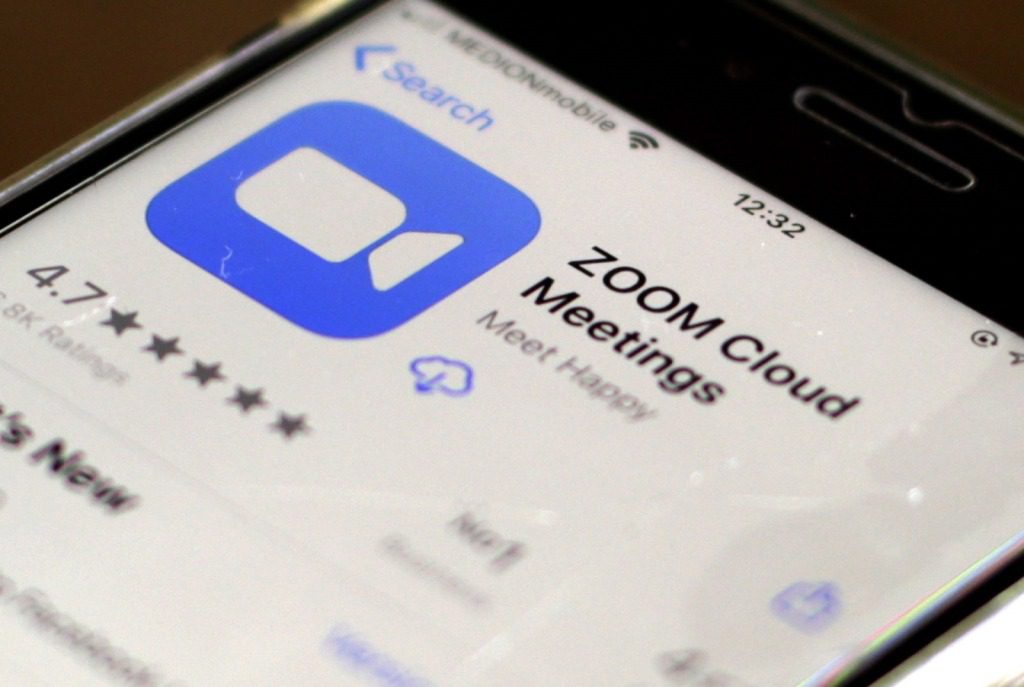
  Cybersecurity – Working From Home, how safe are you? Many are now working from home, making video conference calls, uploading documents and conducting their daily business online. But experts are wondering if the remote nature of work could cause extra internet security concerns down the road. While most workers are used to working at the office under carefully crafted IT systems, it’s impossible to quantify the number of permutations of home internet setups. Where one household could have a simple solution that works for their family, another household could have a virtual private network (VPN) subscription in place to mask their internet usage from prying eyes. To help you reduce the security risks you may be taking while working from home, we’ve collected some tips from experts on steps you can take to fortify your digital workspace. 1: Pay Careful Attention Be diligent in everything you do. In the past, only around 15% of people worked from home, so IT teams could tailor security systems to protect corporate information. With companies now allowing up to 95 percent of their staff to work from home, it’s a lot more complex. You need to keep a close watch for anything out of the ordinary that could indicate someone has access to your system. Read up on your company’s IT security policies and procedures, and report any problems and issues to your help desk as soon as you spot them. 2: Update Your Passwords Check all your passwords and update them if you haven’t done so recently. This is especially important if you’re still using a default factory-issued password anywhere. Keep your passwords private and store them securely using an encrypted password manager, and don’t leave it open on your computer when you’re not at home. The Hackers out there know how often people ignore this issue, and they target the weak infrastructure in people’s homes to try to get into the corporations they work for. 3: Watch Out for Scams Watch out for strange emails asking for information. Never open any unsolicited email attachment until you’ve confirmed with the person who sent it to you, because just one click or download can lead to a malware infection or loss of data, and impact your financial health. 4: Verify All Hyperlinks In the office, it’s easy to walk up the corridor and ask someone if they sent you that suspicious-looking email. That option is gone with WFH. Hover over every link before clicking it to see if it looks authentic, and scrutinize the email it came with to check for signs of phishing. If you have any doubts at all then look at the domain in the URL and google it to verify it independently before you do anything further. Some adversaries create links that look very similar to the real thing, so be careful! 5: How safe is your IT equipment ? If you’ve had some of your IT equipment for a long time, search for the brand and model online to see if there are ways to harden and secure the devices. Don’t share the devices you use for working from home with other people, and download any software updates and patches that are available for your devices. If you are unsure on how to do this, speak to one of our team and we will ensure your systems are up to date. 6: Protect Video Meetings We don’t hide the fact that we are not a fan of Zoom and as reported in the press worldwide, thousands of peoples security has been severely compromised of late. Work remotely and securely with online meetings, with Microsoft Teams. Now more than ever, people need to know their virtual conversations are private and secure. With Microsoft Teams, privacy and security are never an afterthought. It’s their commitment to us all —not only during this challenging time, but always. Our experienced teams at Cirrus can get Teams all set up and running for you in no time at all and also train and educate you on getting the best possible experience using TEAMS. Working from home securely and collaboratively. If you feel your working from home strategy needs further bolstering or security measures need reviewing, then call or contact our team of experts for further help. 0330 313 0966 hello@thinkcirrus.co.uk  

Speak to an Expert
Book a Meeting ×
Scroll to Top