
Author name: admin

Think Cirrus/Blog/Data Centre
Blog

Top Tips for Adopting Unified Communications

Far from being just a marketing buzzword, unified communications (UC) refers to the integration of devices, applications and communication methods to develop collaborative and productive methods of communication. This could include a combination of real-time communication services such as instant messaging, voice over IP (VOIP), video conferencing and interactive whiteboards or non-real-time methods such as email, text messages or voicemail. Ultimately, unified communications brings together various communication methods to create consistency across devices and platforms in order to streamline business processes. If you’re looking to boost efficiency and productivity through unified communications – here are ten things you must think about before you decide to make the transition: Top Tips for Adopting Unified Communications   1) It’s about the business first, not the technology It’s essential to get clear on your business drivers for the project. What are your Unified Communications priorities? When you know the drivers behind the project, you’ll have an easier time building your business case to gain management support – as well as explaining the project and the benefits to the users to improve adoption. Don’t look at technologies until you define your business drivers first! 2) Get support from the top Unified Communications is all about changing the way people work, so you’re going to need senior management support for a successful Unified Communications roll-out. When presenting the project, emphasise the increase in business responsiveness and employee productivity, cost reductions in travel, infrastructure and call charges to show the return-on investment. 3) Start with Discovery   Businesses today are fragmented, with multiple offices and remote workers which makes it harder for people to communicate, and often results in multiple tools and point solutions. The first step in a successful Unified Communications implementation is a thorough Discovery phase to understand who your users are, their business requirements and their communication habits. What tools do they have in place to deliver conferencing, video, messaging and voice? When are the contracts up for renewal? The best technology in the world will fail if it doesn’t enable your users to work when, where and how they want – so take this in to consideration from the start. 4)Is your network up to the task? Integrated voice, messaging and conferencing may be more network intensive than your old systems. Before you select any technology, you need to understand if your network will be able to handle the increased activity. Voice communication is business-critical, it must have high-availability and resilience to enable the business to work. Plan and prepare in advance, spend time finding experts to conduct a network assessment to ensure you’ll be able to use the new system to its fullest once in-house. 5) Consider Cloud Unified Communications solutions can be delivered on-premises or in the cloud. Many businesses believe the cloud won’t work for them – but it’s worth taking another look. Cloud services offer your users access from anywhere with single sign-on and reduce the burden of a new platform for your IT team. Ensure your chosen partner is giving you all the available options, including cloud or hybrid cloud/on-premises options to ease your transition. You should use the cloud on your terms, not the suppliers. 6) Protect your information Unified Communication tools improve collaboration and communication amongst fragmented and mobile workforces and information will grow and flow more easily throughout your business. Be prepared to protect this information that could be valuable to your business. Consider compliance and regulatory requirements, and your own information governance policies. Investigate tools and services which enable you to secure and archive data such as instant messaging and persistent chat. 7) Create a delivery plan Since Unified Communications integrates voice, messaging and conferencing, it tends to be a complex project to deliver within the business. It’s critical that you make a roadmap at the beginning, so that you can roll out the new technologies in phases and feel confident that you haven’t forgotten key components. 8) Ensure User Adoption Technology is pointless if your employees won’t use it. Plan for user adoption and training from the very start of the project. We recommend rolling out modern technology in phases, to allow ample time for training and support. You might consider webinars, in-person training sessions and individual support in your adoption plan. 9) Know who will manage Unified Communications Once you’ve completed your Unified Communications implementation, you need to know what happens next. Who will manage the system? Don’t assume you have to hire experts in-house. A Unified Communications Managed Service provides experts on-demand, guaranteed up-time and SLAs and monitoring of your business-critical systems. It lets you focus on your areas of expertise, while ensuring that your Unified Communications system is in experienced and safe hands.10. Consider a single supplier. 10) Consider a single supplier A Unified Communications solution can be complex with lots of moving parts and when something goes wrong, who are you going to call? Consider working with a single supplier, who understands the end-to-end solution, and provides a single point of contact for all questions and issues. A single supplier also makes the implementation process easier, allowing them to focus on delivering a complete solution from system design and network architecture to call tariffs and hardware, rather than you project-managing multiple vendors.

Hand reaching out/think cirrus/disaster recovery
Blog

Top steps for a simple IT disaster recovery plan

Don’t be caught short. Enterprise networks and data access can go down without warning.  You can’t stop it from happening, but with a good disaster recovery plan you can be better prepared for the unexpected. Expect the unexpected – always!   We know you’ve already got a disaster recovery (DR) plan in place to protect your enterprise’s data, employees and business. But how thorough is your disaster recovery plan? When was it last updated and tested? Have you taken into account new technologies and services that can make it easier to recover from disaster? Here are a few things your IT disaster recovery plan should include. An analysis of all potential threats and possible reactions to them Your disaster recovery plan should take into account the complete spectrum of potential interrupters to your business. As part of the plan you should spell out a recovery plan for each scenario. Of course, not all scenarios are equally likely to occur. So as best you can, try to anticipate which potential disruptors are most probable. Sadly, cyber attacks are becoming a more likely scenario so, cyber attack planning might take precedence over some natural disruptors in your planning. A business impact analysis (BIA) To effectively determine DR priorities, put each major information system through a business impact analysis. A BIA identifies and evaluates the potential effects (i.e. financial, safety, regulatory, legal/contractual, reputation) of natural and man-made events on business operations. Completing a BIA for major IT systems will allow for the identification of system priorities and dependencies.  The BIA examines three security objectives: confidentiality, integrity, and availability. Going through this process means that you’ll be able to establish priorities for your disaster recovery plan. Once you’ve completed the BIA contingency strategies can then be developed. You can find BIA templates and questionnaires online from Ready.gov and other sources.   People People and processes are just as important as technology when it comes to the Disaster Recovery Plans. Now is the time to think about behaviours, systems; essentially all the steps needed so that everyone can start work again as soon as possible. Also, identify by name the critical people charged with responding to a crisis. Have a VIP Crisis list and make sure the direct email, mobile number and home number is clear, correct and up to date. This list are the important people to contact in a crisis and they should know that they are being held accountable. Work with marketing and communications team as well as senior management to determine who will speak for your company to the victims, clients and employees in the event of a disaster. Know what you plan to say, how much you plan to reveal, and how you’ll reassure those who might be nervous of continuing business with your company.   Priorities Not everything in your business is worth saving or needs to be protected. Your proprietary information, of course, is. But any info that is for public release is not as important. Think of it as if your house were on fire. What would you grab as you run out the door?   Regular rehearsals Don’t forget that practice makes perfect. Know you have your plan it needs to be tested regularly. The team involved need to practice the processes and procedures that have been put in place, just like a fire drill, for example. If not regularly practiced, the plan is ineffective.   A consideration of DRaaS The growing practice of moving data operations into the cloud has helped give rise to disaster recovery as a service (DRaaS). These on-demand services have made DR easier and more economical, which in turn is enabling more organizations to be better prepared for disasters. When considering DRaaS, ask how the provider will test and validate recovery of your data and workflows, as some testing is more extensive than others. Act Today The biggest mistake most companies make is waiting until after a cyberattack or disaster to figure out what to do next.  

Blog

Can you operate in any weather?

Is it time to weatherproof your business? The last month has been a tumultuous one when it comes to the weather, with the beast from the east causing disruptions, and amber weather warnings for torrential rain and gale force winds becoming a nightmare for business owners. You’d be forgiven for thinking that any major natural incident could halt business operations. Right? Wrong! Here at Think Cirrus we pride ourselves on being able to work from any place at any time, as long as there is internet coverage. This means you can work as if you were in the office, when you’re not or you can’t be. There’s no excuse with modern technology why any business shouldn’t be able to operate remotely if employees are stuck at home.   This technology isn’t expensive, and in some cases is cheaper than using older systems. Here are a few easily accessible and affordable technologies that can weather-proof your business: Telephone Systems – VoIP (Voice over IP) VoIP systems are the ultimate no-brainer.   Not only do they give you the flexibility to connect to your internal phone system from almost anywhere (and in most cases, from many types of device) but pretty much without exception they are cheaper on rental and call charges than traditional systems. We use VoIP at Think Cirrus, so when our helpdesk guys can’t get into the office because of flooding or snow they simply plug their IP handsets in to their home broadband connections or fire up the VoIP app on their smartphones and are immediately able to deal with support calls. VoIP is great if you have home workers or multiple offices – calls between internal extensions are always free regardless of where they are (including overseas which is a godsend for a few our clients). It’s handy for part time workers who need to work seamlessly from home, or for busy MDs who spend a lot of time out of the office but still need to be part of the system to receive and make calls. Cloud Computing ‘Cloud’ is a huge subject to cover here, but in summary – your data and software no longer needs to be confined to an internal computer network.   With cloud you can access your files, folders, emails and software remotely, usually from almost any device. The benefits of cloud are wide-ranging, from flexibility, resiliency and backup and compliance through to saving both money and the environment. Remote connectivity to your office network (VPN) VPN – Virtual Private Networking – isn’t new by any means but is still a great way of connecting remotely to an internal IT system that hasn’t yet embraced cloud computing (and in some cases, systems that are in the cloud too – though that’s getting a bit technical).   Essentially, a VPN creates a secure, encrypted connection between the device you’re using (e.g. a home PC) and your business computer network, allowing you to access internal resources via a secure link. We’re happy to say Think Cirrus practices what we preach when it comes to remote access, and the team are able to remain fully operational during times of adverse weather. We use a combination of all of the above – we have a VoIP telephone system allowing all staff to connect in from home, and we can also connect mobile phones and tablets to the system if necessary. Our systems run in the cloud – our data is stored in a secure online datastore so we can access it from any location and any device, our email server is online and of course our helpdesk is hosted in the cloud.   We use a secure VPN connection to connect into the office in case we need to access our internal servers. So, if you’d like your business to continue making money whatever the weather, isn’t it time you made your business weatherproof?

Think Cirrus/GDPR Blog/EU Flag
Blog

GDPR: Think Cirrus Perspective

GDPR DEADLINE IS COMING The GDPR deadline is nearly here and it seems to be the responsibility of Marketing and IT agencies to educate the masses about GDPR and what they need to do in order to prepare for compliance when the law changes.   This post explores what we’ll be doing at Think Cirrus HQ to help bring our clients significantly closer to being fully compliant before the regulation is introduced on the 25th May.   As you’ve probably heard the new legislation introduces tougher fines for non-compliance and rumour has it that SMEs will be specifically targeted by these spot-checks because they often ignore this type of legislation.   Any business that has customers is affected so there is still time left we’re encouraging all business owners to  get their head around the regulations now, before it’s too late! You may be aware that data security plays a prominent role in the new GDPR regulation. In comparison to the current Data Protection Act the new regulations follow a stricter set of rules for businesses in relation to security however the requirements from an IT perspective are fairly simple.   To give our clients a little peace of mind our technician’s will be focussing on the following five key areas to ensure customers are on the right track to compliance. Those areas being: 1. Firewalls 2. Secure Configuration 3. User Access Control 4. Malware Protection 5. Patch Management Most businesses should have all of these key elements put in place as part of general good business practice.   For our technician’s, it’s a case of reviewing what measures are in place for our customer base, documenting them and reviewing regularly to ensure everything’s working correctly and running efficiently.   If you’re concerned about your compliance plans or want to learn more about the measures your organisation should be putting in place before the regulation is enforced then please get in touch 

Think Cirrus_Connectivity_Unified Communications
Blog

Top Tips for Adopting Unified Communications

Far from being just a marketing and technology buzzword, unified communications (UC) refers to the integration of devices, applications and communication methods to develop collaborative and productive methods of communication. This could include a combination of real-time communication services such as instant messaging, voice over IP (VOIP), video conferencing and interactive whiteboards or non-real-time methods such as email, text messages or voicemail. Ultimately, unified communications will bring together various communication methods to create consistency across devices and platforms to streamline business processes. If you’re looking to boost efficiency and productivity through unified communications, discover some top tips that can help you make the transition: Start with Discovery Businesses today are fragmented, with multiple offices and remote workers which makes it harder for people to communicate, and often results in multiple tools and point solutions. The first step in a successful Unified Communications implementation is a thorough Discovery phase to understand who your users are, their business requirements and their communication habits. What tools do they have in place to deliver conferencing, video, messaging and voice? When are the contracts up for renewal? The best technology in the world will fail if it doesn’t enable your users to work when, where and how they want – so take this in to consideration from the start. Build a business case Unified communications can offer great benefits to businesses, such as cost reductions, enhanced business continuity and greater security. However, it could prove a costly and time-consuming project if you’re not properly prepared for the transition. Inefficient adoption could increase potential security risks too. Start by developing a business case for unified communications and consider what benefits you could realistically reap. It’s essential to get clear on your business drivers for the project. What are your Unified Communications priorities? When you know the drivers behind the project, you’ll have an easier time building your business case to gain management support – as well as explaining the project and the benefits to the users to improve adoption. Don’t look at technologies until you define your business drivers first! Get support from the top Unified Communications is all about changing the way people work, so you’re going to need senior management support for a successful Unified Communications roll-out. When presenting the project, emphasise the increase in business responsiveness and employee productivity, cost reductions in travel, infrastructure and call charges to show the return-on investment. Is your network up to the task? Integrated voice, messaging and conferencing may be more network intensive than your old systems. Before you select any technology, you need to understand if your network will be able to handle the increased activity. Voice communication is business-critical, it has to have high-availability and resilience to enable the business to work. Plan and prepare in advance, spend time finding experts to conduct a network assessment to ensure you’ll be able to use the new system to its fullest once in-house. Review your existing processes and systems Assess your existing infrastructure to highlight the current communications processes within your business. How these could be improved, what additional methods could aid the business and what do you hope to achieve with unified communications? By having a clear overview of your existing systems, you can identify barriers, determine your specific needs and tailor your approach. Create a delivery plan Since Unified Communications integrates voice, messaging and conferencing, it tends to be a complex project to deliver within the business. It’s critical that you make a roadmap at the beginning, so that you can roll out the new technologies in phases and feel confident that you haven’t forgotten key components. Create a migration plan Developing a structured plan for adoption will enable you to monitor and manage changes. Converging your communication technologies could become a tangled web if you fail to clarify what’s being integrated and any methods that are being introduced. A migration plan will then help you to develop a phased approach to unification before you get started. Transform your network The final step is to implement and rollout the activities that will transform your network and your business. As you manage change, it’s important to consider that you’re changing both business processes and technological processes. Phasing your rollout will help you to mitigate risk, error and substantial disruption. Avoid confusion by ensuring staff are aware of, and prepared for, the changes that will take place and the expected rollout time period. Could digital technology help you to boost productivity and profits? Unified Communications ensures complete connectivity for your business, enabling users to communicate and collaborate no matter where they’re located or what device they’re using. However, the idea of replacing and upgrading business-critical systems of voice, messaging and conferencing can seem daunting. Will Unified Communications work for your organisation? Will you actually save money? And will your users actually use the new systems? Know who will manage Unified Communications Once you’ve completed your Unified Communications implementation, you need to know what happens next. Who will manage the system? Don’t assume you have to hire experts in-house. A Unified Communications Managed Service provides experts on-demand, guaranteed up-time and SLAs and monitoring of your business-critical systems. It lets you focus on your areas of expertise, while ensuring that your Unified Communications system is in experienced and safe hands.10. Consider a single supplier.   Consider a single supplier A Unified Communications solution can be complex with lots of moving parts and when something goes wrong, who are you going to call? Consider working with a single supplier, who understands the end-to-end solution, and provides a single point of contact for all questions and issues. A single supplier also makes the implementation process easier, allowing them to focus on delivering a complete solution from system design and network architecture to call tariffs and hardware, rather than you project-managing multiple vendors.

Think Cirrus/Working Remotely/working from home/man sat on chair
Blog

3 Top Tech Tips to work remotely & stay productive

You run a small business which relies on a team that work remotely for you. Whether they work from home or from the local coffee shop; your team need to be able to access and utilise the same resources as if they were in the office. That way their day to day processes aren’t disturbed. And they are even more productive, potentially. We explore some top tips to ensuring your team work like a dream. Have a look at these points and tell us if we’ve missed any out. The right people You need the sort of people who hate micro management and love full autonomy. They don’t need hand holding and they don’t need constant reassurance. They just need to get on with the job in hand. Voice and e-mail interaction is sufficient. They would have already sorted out a home broadband access and with a good laptop, cloud-based storage system – they are good to go. They work remotely like a dream. Most job functions can be done from home with the right systems in place; and with VOIP telephony systems even the receptionist could be at home! A receptionist who works remotely? Who would have thought.   THE RIGHT TECHNOLOGY When we talk about technology we really mean software. After purchasing and setting up a laptop, you need to think about the support software that your team will use every day, such as Microsoft Office, Skype for Business, CRM system such as Infusionsoft or Zoho, accounting software, email marketing software and so much more.  There will also be software that the team don’t see or use but you’ll know it’s working – such as anti-virus, capacity monitoring and system back up software. Here at Think Cirrus when our team work remotely,  we know that it’s just like being in the office because we can use instant messaging, and VOIP telephones. The office number promoted on our website follows us where ever we go and is even diverted to our mobiles when we’re on the road. We never miss a call, because we are emailed the details and we don’t know what we’d do without it. And what is even better is that all the calls made from home are for free because it’s over the internet, using the laptop and a headset and there isn’t any clunky and outdated VPN access because everything is on the cloud. We promote it and are advocates of it because that is our we operate within this business. Essentially, we practice what we preach.   It’s all about the data There should be no obstacles to prevent the home worker from accessing internal IT systems.  This means that if you have everything set up properly, there shouldn’t be any issues, sharing documents or editing and sharing files. When working remotely, there tends to be a bad habit that forms when it comes to saving documents. The mindset turns into storing data locally on their desktop or laptop. This data needs to be protected from data loss, system outages, theft, fire etc. To keep your corporate data safe, you should think about behavioural policies. Such as making sure business-critical data is only stored on central systems or that “remote” data is protected by an automated online backup solution that regularly backs up user data and requires no end user knowledge or intervention. In the case of data loss, individual files or e-mails can be recovered quickly. If a desktop / laptop needs to be rebuilt all data can be recovered from the online storage solution. By implementing an industry-leading archiving solution inactive yet important files and emails that have previously been archived can be accessed remotely and even be made available by offline access, which is synchronised with the central archive when the home worker is (back) online. This ensures that home worker has access to live and archive data when working remotely.

Who are you going to call?
Blog

Think Cirrus Privacy Policy

think cirrus Privacy Policy This privacy policy has been compiled to better serve those who are concerned with how their ‘Personally Identifiable Information’ (PII) is being used online. PII, as described in US privacy law and information security, is information that can be used on its own or with other information to identify, contact, or locate a single person, or to identify an individual in context. Please read our privacy policy carefully to get a clear understanding of how we collect, use, protect or otherwise handle your Personally Identifiable Information in accordance with our website.   What personal information do we collect from the people that visit our blog, website or app? When ordering or registering on our site, as appropriate, you may be asked to enter your name, email address or other details to help you with your experience. When do we collect information? We collect information from you when you fill out a form or enter information on our site.   How do we use your information? We may use the information we collect from you when you register, make a purchase, sign up for our newsletter, respond to a survey or marketing communication, surf the website, or use certain other site features in the following ways:       • To follow up with them after correspondence (live chat, email or phone inquiries)   How do we protect your information? Our website is scanned on a regular basis for security holes and known vulnerabilities in order to make your visit to our site as safe as possible. We use regular Malware Scanning. Your personal information is contained behind secured networks and is only accessible by a limited number of persons who have special access rights to such systems, and are required to keep the information confidential. In addition, all sensitive/credit information you supply is encrypted via Secure Socket Layer (SSL) technology. We implement a variety of security measures when a user enters, submits, or accesses their information to maintain the safety of your personal information. All transactions are processed through a gateway provider and are not stored or processed on our servers.   Do we use ‘cookies’? Yes. Cookies are small files that a site or its service provider transfers to your computer’s hard drive through your Web browser (if you allow) that enables the site’s or service provider’s systems to recognize your browser and capture and remember certain information. For instance, we use cookies to help us remember and process the items in your shopping cart. They are also used to help us understand your preferences based on previous or current site activity, which enables us to provide you with improved services. We also use cookies to help us compile aggregate data about site traffic and site interaction so that we can offer better site experiences and tools in the future. We use cookies to:       • Understand and save user’s preferences for future visits.       • Compile aggregate data about site traffic and site interactions in order to offer better site experiences and tools in the future. We may also use trusted third-party services that track this information on our behalf. You can choose to have your computer warn you each time a cookie is being sent, or you can choose to turn off all cookies. You do this through your browser settings. Since browser is a little different, look at your browser’s Help Menu to learn the correct way to modify your cookies. If you turn cookies off, Some of the features that make your site experience more efficient may not function properly.It won’t affect the user’s experience that make your site experience more efficient and may not function properly.   Third-party disclosure We do not sell, trade, or otherwise transfer to outside parties your Personally Identifiable Information.   Third-party links We do not include or offer third-party products or services on our website.   Google Google’s advertising requirements can be summed up by Google’s Advertising Principles. They are put in place to provide a positive experience for users. https://support.google.com/adwordspolicy/answer/1316548?hl=en We have not enabled Google AdSense on our site but we may do so in the future.   California Online Privacy Protection Act CalOPPA is the first state law in the nation to require commercial websites and online services to post a privacy policy. The law’s reach stretches well beyond California to require any person or company in the United States (and conceivably the world) that operates websites collecting Personally Identifiable Information from California consumers to post a conspicuous privacy policy on its website stating exactly the information being collected and those individuals or companies with whom it is being shared. – See more at: http://consumercal.org/california-online-privacy-protection-act-caloppa/#sthash.0FdRbT51.dpuf According to CalOPPA, we agree to the following: Users can visit our site anonymously. Once this privacy policy is created, we will add a link to it on our home page or as a minimum, on the first significant page after entering our website. Our Privacy Policy link includes the word ‘Privacy’ and can easily be found on the page specified above. You will be notified of any Privacy Policy changes:       • On our Privacy Policy Page Can change your personal information:       • By emailing us       • By calling us       • By chatting with us or by sending us a support ticket How does our site handle Do Not Track signals? We honor Do Not Track signals and Do Not Track, plant cookies, or use advertising when a Do Not Track (DNT) browser mechanism is in place. Does our site allow third-party behavioral tracking? It’s also important to note that we allow third-party behavioral tracking   COPPA (Children Online Privacy Protection Act) When it comes to the collection of personal information from children under the age of 13 years old, the Children’s Online Privacy Protection Act (COPPA) puts parents in control. The Federal Trade Commission, United States’ consumer protection agency, enforces the COPPA Rule, which spells out what operators of websites and online services must do to protect children’s privacy and safety online. We do not specifically market to

Blog

Data-at-rest is data-at-risk.

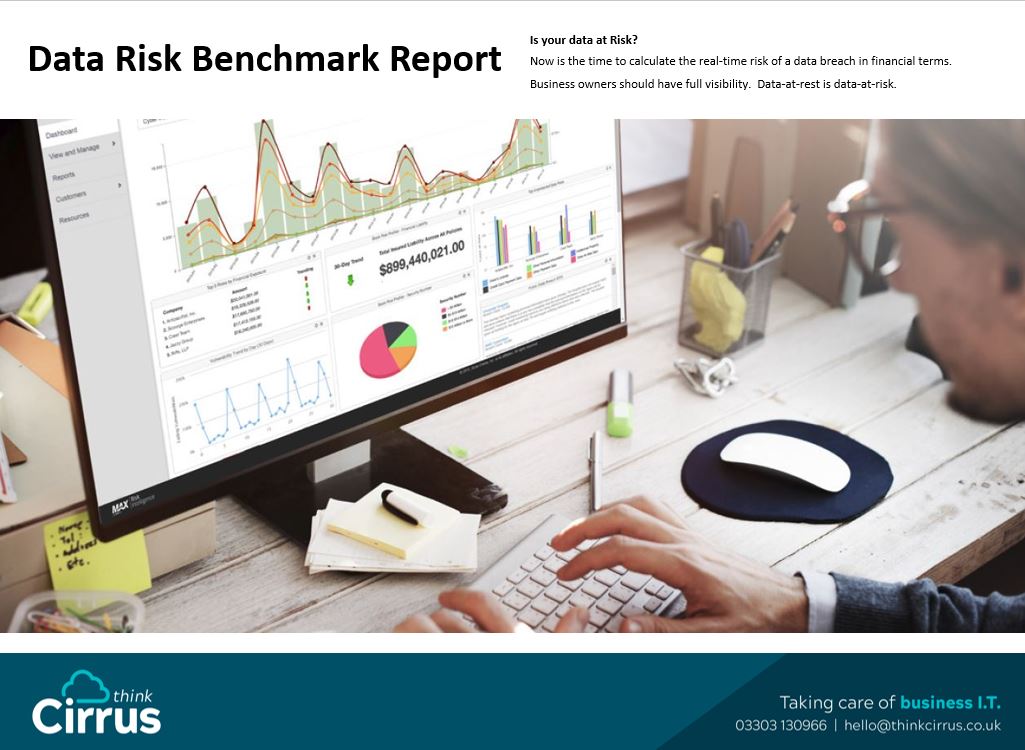
Is your data at risk? Now is the time to calculate the real-time risk of a data breach in financial terms.  Business owners should have full visibility.  Data-at-rest is data-at-risk.   Data Breaches – stolen Customer Data. Do you store client, customer and employee data on your PC, laptop, tablet, server? Do you know the financial repercussions if you were hacked?   Data at REST is Data at RISK Until now, businesses without the resources of a dedicated Information Security team have had few options. Sensitive data-at-rest was virtually impossible to find and secure, and that meant it was easily breached.   RISK SCAN and REPORT This NEW software will scan all your documents, systems and applications associated with you and your devices. You will receive your analysis in the form of a report and we’ll offer you advice and guidance on what to do next.   Data Breach Benchmark KEY BENEFITS Become GDPR Complaint Gain visibility of sensitive data Minimize the risk of a data breach Demonstrate regulatory compliance Offer more comprehensive security   You will receive your analysis in the form of a report and we’ll offer you advice and guidance on what to do next. Your report will contain all the information and data that isn’t secure and it’ll outline the exact financial implications of a data breach   Want more information? DOWNLOAD THIS – Data Breach Benchmark Report_

man on a tablet/cyber security
Blog

We might not be Cyber Certified but we are Cyber experienced

At the moment the two hottest buzz phrases in the world of data protection, marketing and Information Technology are ‘Cyber Security’ and ‘GDPR’. What does cyber security really mean? Aren’t businesses meant to be secure already? Do they need a badge to say that they are secure? This blog will explore what is means to be secure and why Think Cirrus doesn’t have a cyber security badge, yet ensures all clients have impeccable cyber security measures in place. The Government endorsed scheme Cyber Essentials is doing a great job of raising awareness that businesses should do more to protect themselves from on-line threats.   And quite rightly the stats for on-line threats, hacks, vulnerabilities continue to increase, the cloud can be an unfriendly place and small business is far from immune. You should be taking pro-active steps to protect data, systems and in many cases the risky data they hold related to clients, staff and people.   “Small and midsized organizations (SMBs), defined as those with 100 to 1,000 employees, are hardly immune to cybercrime — actually quite to the contrary. According to Keeper Security’s “The State of SMB Cybersecurity” report, a staggering 50 percent of small and midsized organizations reported suffering at least one cyberattack in the last 12 months”   What is Cyber Security?  Cyber Security is a very broad term and comprises technologies, processes and controls that are designed to protect systems, networks and data from cyber-attacks.   Effective cyber security reduces the risk of cyber-attacks, and protects organisations and individuals from the unauthorised exploitation of systems, networks and technologies.     Creating a solid cyber security foundation The most effective strategy to mitigate and minimise the effects of a cyber-attack is to build a solid foundation upon which to grow your cyber security technology stack. Solution providers often tell their clients their applications are 100% compatible and will operate seamlessly with the current IT infrastructure, and for the most part, this is true. The problem arises when we start adding IT security solutions from different manufacturers regardless of the granularity of their configuration settings – technology gaps will always be present. And technology gaps will always appear for one simple reason: developers will always keep certain portions of their code proprietary as part of their competitive advantage. Hence, true compatibility and interchangeability may only be 90%. These are known as technology gaps. It is through these gaps that attacks usually occur. A solid cyber security foundation will identify these gaps and propose the appropriate action to take to mitigate the risk of an attack. A solid foundation provides organisations the confidence to build their cyber security strategies. We might not have a cyber essentials accreditation but we do ensure that our clients are cyber secure.

Thinkcirrus/peoplearoundatable/wifi
Blog

WIFI Data – Why it’s a hidden marketing gem and what you should do with it.

Here at Think Cirrus we provide WIFI for many clients within retail and hospitality. And we love it. It provides guests with an excellent WIFI experience but from the point of view of the business owner, (yeah that’s you) – it provides vital contact details and data gathering that you can’t afford to miss. Why is WIFI Data a Hidden Gem? Because for every customer who logs onto your WIFI, you’ll acquire customer contact details. They will enter their name and email address which is a marketing communications gold mine. This means you can keep in touch with them, and not only get them to double and triple opt in, but you can email them, add them to social media advertising lists and much, much more. But today we’ll tell you how to add their details to Facebook custom audiences.   What is a Facebook Custom Audience? A custom audience is an ad targeting option on Facebook Ads and lets you find people who you already know on your business Facebook.  A custom audience from customer list could be from the customers who have logged onto your wifi. They have chosen to opt in and you can use facebook ads to retarget/remarket your business. To enable you to be able to do this I have sourced a guide from facebook for you to use. Happy promoting!   Create a Custom Audience from a customer file This article contains instructions on how to create a Custom Audience from your customer file. Before you begin Make sure the customer file you want to use is ready. If you want to get the most out of the data in your customer file, consult our best practices while creating it. Create a Custom Audience from a customer file Get Started To get started creating a Custom Audience from your customer file: Go to your Audiences If you already have audiences, click the Create Audiencedropdown and select Custom Audience. If you don’t have any audiences, you’ll see audience creation buttons, rather than dropdowns. Click Create a Custom Audience. Click Customer File Click Add from your own file   From there, there are five parts to creating your Custom Audience: Add Customer File Edit Data Mapping Hashed Upload & Creation  Next Steps Below, we’ll breakdown each one. Add Customer File To add a customer file: Choose whether you’ll upload your customer file as a file (.txt or .csv) or copy and paste it. If you choose to upload, click Upload Fileand select your customer file. If you choose to copy and paste, do so in the “Paste your content here” field. Give your audience a name and description if you want to. Click Next. Tip: You can download a data file template we’ve created that’s set up to help our system map your data more easily. Click Download file template to check it out. Edit Data Mapping We show you a preview of your data and how we’d classified it. There are three statuses you may see in this preview: means we think we know what type of data this is (but you can correct us if we’re wrong – see below) and will use it when trying to match the information in your customer file to people on Facebook. Only the data with this symbol gets uploaded for matching. means we’re not sure what type of data this is or you’ve told us to leave it out of matching. If we’re not sure, you can tell us (see below). Check out our best practices guide to make sure it’s formatted in a way we can use. means the data type has been identified (either by us automatically or by you), but we can’t detect a supported format. You may have to reformat the data in your file or select a formatting option from a Choose format dropdown (see below). For example, birthdays can be listed in different formats like MM/DD/YYYY or DD-MM-YYYY. Learn more. You can also leave the data type out of matching (see below). Note: If you’re seeing a lot of errors, it may be because we’re looking for the wrong delimiter (the punctuation mark that separates data points). You can change this by hovering over “modify the delimiter” and choosing a new one. You can interact with your data preview in three ways: Changing the data’s type Removing the data from match consideration Changing the data’s format To change your data’s type, click the dropdown and choose what type of data you’ve provided. From this dropdown, you can also choose Do Not Upload, which tells us not to use that data when matching. To change your data’s format, click the Choose format dropdown and choose what format we should be using to match your data. Note: Every piece of data requires a type to be usable, but only some kinds require formatting details. You’ll only see the Choose format dropdown if it’s necessary. If you need to change anything about your customer file to maximize the number of identifiers we can use, do so now. Once you’re ready, repeat the steps above. When you’re satisfied, click Create & Upload. Hashed Upload & Creation We hash your data, upload it and create your audience for you. This may take a little while if your file is large. Feel free to continue working in another browser tab or window while you wait. Next Steps When we’re done creating your Custom Audience, we automatically generate a list of next steps you can take to get the most out of it. You can take one of those next steps immediately or click Done to finish. Get more information on two of the next steps you can take: creating a Lookalike Audience and creating an ad. Learn how to edit your Custom Audience.  

Speak to an Expert
Book a Meeting ×
Scroll to Top