August 2017

Think Cirrus/ Google Suite or Microsoft Office 365
Blog

Google Suite Business or Microsoft office 365 ? You decide!

As of 2015, Google held 3 percent of the enterprise productivity suite software market, with an estimated $397.4 million in revenue, according to research firm Gartner. Microsoft, with almost $12.7 billion in revenue, held a little more than 95 percent. That’s a gap Google clearly hopes to close with its recent push into enterprise. The company has been adding artificial intelligence features to tools, and even released a piece of hardware that integrates with G Suite, its Microsoft Office competitor, to attract the kind of enterprise customers that are entrenched in Microsoft products. From the statistics stated above there is obviously a competitive space, and Here at Think Cirrus, we meet businesses who use G Suite and Office 365.  As a result, in a bid to help you fully understand which ones would suit your business, we on a path of exploration to discover what was so good about Google’s G Suite and why Office 365 seems to get a reputation as the old stuffy one. Let’s see what’s different about Google and what’s new with office 365.   What is G Suite Business and what does it offer? G Suite from Google Cloud is a set of intelligent apps including Gmail, Docs, Drive and Calendar which can connect the people in a business, no matter where in the world they are.  G Suite is offered to professional customers in different price tiers (basic, business and enterprise) and different versions. A free version of G Suite for educators, for example, is comparable to the business version, but with some modifications, according to a Google spokesperson.  Many tools that are part of G Suite are available for free to consumer users with Google accounts; these tools include Gmail, Hangouts communications tools, word processor Docs and Excel competitor Sheets.   The summary of features include: Take Gmail to Work Store and share files Work from anywhere Business grade security Easy IT Administration Work with popular file types What is Microsoft Office 365 Business Essentials and how does it compare? Microsoft Office 365 is the Office you know, plus tools to help you work better together, so you can get more done—anytime, anywhere. Microsoft Office is a set of interrelated desktop applications, servers and services, collectively referred to as an office suite, for the Microsoft Windows and macOS operating systems.   The latest Office apps include: Word, excel, PowerPoint, one note Email and Calendars Instant messaging and conferencing – Skype for Business Yammer – corporate social network Security     As a small to medium enterprise – what do I need to consider when choosing a suite for my business? G Suite and Office 365 both seem to have all the same features. You can work anywhere, and stay connected. According to Anito, MD at Think Cirrus says: “I think that G suite is great if you need something simple for your business, which contains email and a collaborative cloud platform. However, if you want a mature platform with added security, integrated telephony functionality such as online conferencing and skype for business then Microsoft would be a better platform for you. So, it completely depends on our needs and the size of the business.” Summary Both G Suite and Microsoft Office 365 can compete with one another across the board. Google comes out on top in terms of collaboration and ease of use, while Microsoft strengths lie in offering a suite that is feature rich and capable of processing detailed documents and copious amounts of data. Organisations currently using Google’s email client will find it an easy transition to move further down the G Suite path, with the same being relevant for those currently using Microsoft’s Outlook email client. For businesses wanting an online suite that is most simple to use, Google is the ideal option. Its one-stop-shop approach is particularly attractive to businesses starting out and those looking for a clean and responsive productivity suite. Yet Office 365’s user interface is one that most will be familiar with, drawing on Microsoft’s extensive experience with productivity tools.   If you’d like to some research of your own here are some links: https://products.office.com/en-gb/business/office-365-business-essentials https://gsuite.google.co.uk/intl/en_uk/solutions/small-business/?tab_activeEl=tabset-companies

Think Cirrus/ Brace yourself scammers are coming meme
Blog

Beware: Phishing emails, links, or phone calls!! Learn how to recognise and ignore!

A few weeks ago, one of our clients had an issue with their MacBook Pro – they had become completely locked out. When they attempted to log in a ransom message appeared outlining the need to pay $50 to unlock the MacBook. We have subsequently learned that our client had opened a phishing email – which meant that the hackers managed to acquire our client’s username and password. We then thought we’d try and advise you all on what to look out for because anyone with a pc, mac or desktop and an internet connection can send and receive emails. And we don’t need the negative presence of phishers, hackers and people up to no good to ruin our lives. Phishing email messages, websites, and phone calls are designed to steal money. Cyber criminals can do this by installing malicious software on your computer or stealing personal information off your computer. What does a phishing email message look like? We couldn’t get hold of the original phishing email, so here is an example of what a phishing scam in an email message might look like: (Image Courtesy of Microsoft) Things to look out for: Spelling and bad grammar Cybercriminals are not known for their grammar and spelling. Professional companies or organizations usually have a staff of copy editors that will not allow a mass email like this to go out to its users. If you notice mistakes in an email, it might be a scam. Beware of links in email If you see a link in a suspicious email message, don’t click on it. Rest your mouse (but don’t click) on the link to see if the address matches the link that was typed in the message. In the example below the link reveals the real web address, as shown in the box with the yellow background. The string of cryptic numbers looks nothing like the company’s web address. Links might also lead you to .exe files. These kinds of file are known to spread malicious software.   Threats Have you ever received a threat that your account would be closed if you didn’t respond to an email message? The email message shown above is an example of the same trick. Cybercriminals often use threats that your security has been compromised. Spoofing popular websites or companies. Scam artists use graphics in email that appear to be connected to legitimate websites but take you to phony scam sites or legitimate-looking pop-up windows. Cybercriminals also use web addresses that resemble the names of well-known companies but are slightly altered. Phishing phone calls – don’t give out personal info Cybercriminals might call you on the phone and offer to help solve your computer problems or sell you a software license. Neither Microsoft nor our partners make unsolicited phone calls (also known as cold calls) to charge you for computer security or software fixes. Once they’ve gained your trust, cybercriminals might ask for your user name and password or ask you to go to a website to install software that will let them access your computer to fix it. Once you do this, your computer and your personal information is vulnerable. Treat all unsolicited phone calls with scepticism. Do not provide any personal information. Phishing scams – recognise and report If you receive a fake phone call, take down the caller’s information and report it to your local authorities – you can report fraud as well as unsolicited calls. Here at Think Cirrus we’re a Microsoft Cloud Partner – so whenever you receive a phone call or see a pop-up window on your PC and feel uncertain whether it is from someone at Microsoft, don’t take the risk. Reach out directly to us or one of the Microsoft technical support experts dedicated to helping you at the Microsoft Answer Desk. Or simply give us a call and we’ll deal with it. You can use Microsoft tools to report a suspected scam on the web or in email. Internet Explorer.While you are on a suspicious site, click the gear icon and then point to Safety. Then click Report Unsafe Website and use the web page that is displayed to report the website. com (formerly Hotmail).If you receive a suspicious email message that asks for personal information, click the check box next to the message in your Outlook inbox. Click the arrow next to Junk and then point to Phishing scam. Microsoft Office Outlook 2010 and 2013.Right-click the suspicious message, point to Junk, and then click Report Junk. You can also download the Microsoft Junk E-mail Reporting Add-in for Microsoft Office Outlook.

Think Cirrus/Google Shopping/European Competition Commissioner
Blog

#MarketingNews: Spending advertising money on Google Shopping? Think again!

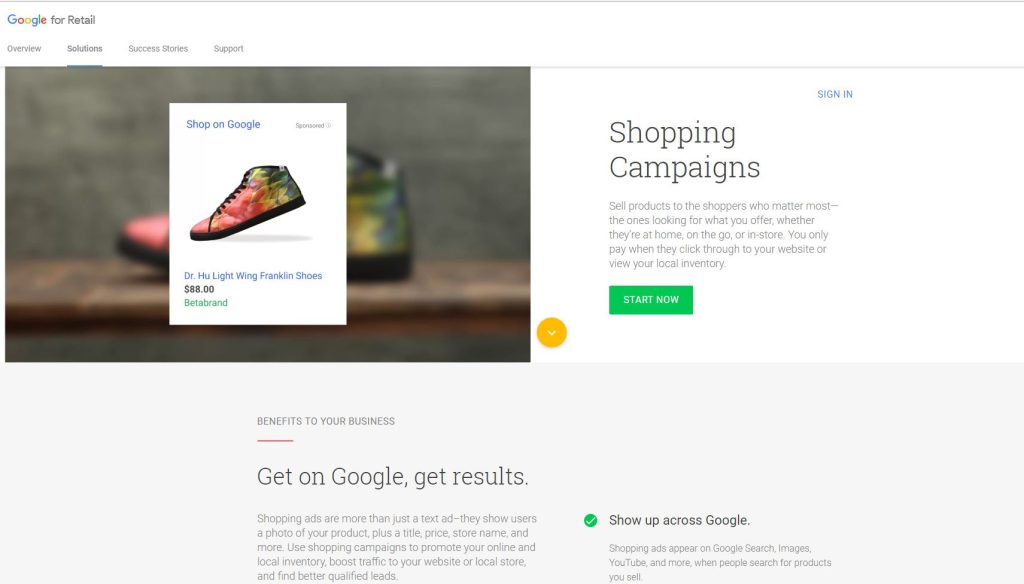
“If I feel more comfortable with the fair competition in the market place, I think people will feel more comfortable in society”, Margrethe Vestager – European Commissioner for Competition and former Deputy Prime Minister of Denmark said in an interview with Vice News after fining Google £2.1bn for abusing its dominance as a search engine. But is google still a threat to the hospitality, retail and tourism industries? The Google shopping comparison function is certainly something to be wary of when spending your hard-earned cash on a Google Shopping campaign to boost business. Google has been hit with a record-breaking fine by the European Union for breaking antitrust law following a seven-year investigation into the US company’s search algorithms, which ended with the judgement that Google had “abused its dominant position by systematically favouring” its own shopping comparison service.  Don’t be Evil – should you be wary about Google? Investigations into Google’s behaviour were triggered after the European Commission received dozens of complaints from U.S. and European competitors who claimed that the company abused its search market dominance to give its Google Shopping service an advantage over other retailers and create a monopoly over consumers. “EU antitrust rules apply to all companies that operate in Europe’s Economic Area, no matter where they’re based,” Vestager said. “The purpose is to ensure competition and innovation for the benefit of European consumers. Google has come up with many innovative products, and many innovative services, that have made a difference in our lives — and that’s a good thing. “But Google’s strategy for its comparison shopping service wasn’t just about attracting customers. It wasn’t just about making its product better than its rivals. Google has abused its market dominance in its search engine by promoting its own shopping comparison site in its search results and demoting its competitors.” “They reach merchant websites in many different ways: via general search engines, specialist search services, merchant platforms, social media sites, and online ads served by various companies,” Kent Walker, Google’s general counsel, said in a blog post. What now of hospitality and retail sectors? Google are one of the best poised to take on the likes of Expedia, Trivago and Booking.com, because they now have integration with flight data, hotel data, Uber and many others, so you could essentially use this service to plan the entire trip. At the International Hotel Investment Forum (#IHIF2017) in March, Terri Scriven, Google’s industry head for hospitality, emphasized how the tech giant works with hoteliers and others. She had plenty of practical advice for hoteliers about the need to hire data scientists and to integrate a hotel’s customer relationship management (CRM) system with the property management system or PMS. Asked about the ability of hotels to analyse and use data, Scriven replied: “It’s horrible, it’s kind of hitting my head against a brick wall on a day-to-day basis. But there’s progress being made which is good.” In an interview with Trip Tease, Terri Scriven, stated that she works to drive traffic direct to hotel websites. “Destinations Google – it allows you to match specific hotel data and flight search data with key phrases typed into google search bar.  People are searching in micro-moments which is why Destinations is only on mobile. Hilton saw an incremental increase of 40% by using hotel ads.” In this interview – Terri seemed to talk about working with the likes of Booking.com and independent hoteliers equally to drive traffic to both – giving a fair approach to supporting customers of Google Shopping and Google Ads in general. It seems that Google are trying not to be evil, especially after their horrendous financial punishment. But in terms of the business owners, using Google ads is still effective to drive traffic and remarketing lists are even more so. However, the money you have to spend is still unpredictable and based on the relevancy of the keywords and campaigns. Sources of Information https://www.youtube.com/watch?v=Ig8JdfZnabY – See this 19 minute sky broadcast to get a taste of the investigation. https://www.youtube.com/watch?v=bvWDubX4sB8 – This video is nearly 60 minutes. Margrethe Vestager goes into details about the investigation and the findings. https://www.youtube.com/watch?v=xXz9PFy4p88 – An interview on BBC – talks about how the big tech giants are abusing their power. https://www.youtube.com/watch?v=Qgx6Ru_Hst8 – Trip tease talks to Terri Scriven https://www.youtube.com/watch?v=ks3ZB_H1OZM – Interview with Margrethe Vestager from Vice News https://www.youtube.com/watch?v=timl8PdW8Es – The economist interviews Margrethe Vestager

Think Cirrus/ Malware blog/Macbookpro
Blog

Mac person? If you think you’re exempt from malware, spyware or hacking… think again!

Mac person? If you think you’re exempt from malware, spyware or hacking… think again! This week at Think Cirrus Towers we’ve come across another I.T. conundrum we’d like to share. One of our clients, based in London, phoned us in a state of panic when they had discovered that they had been locked out of their Mac Book Pro. Unaware of any hacking scares or scandals, we slowly gathered intelligence as to what was causing this conundrum. We then stumbled across a piece of information about an incident recently reported in Indonesia. A number of Mac and Iphone users reported that their device suddenly locked itself. This is a common problem, right? Wrong – these users, didn’t have a passcode to begin with. Such incidences were aired on Thursday 10th August via Twitter’s Indonesian hashtag, Cuitan, which highlighted the trending problem. According to MakeMac.com – the top Indonesian Apple review site, the unusual condition experienced by iOS users was ‘Lost Mode’, while Mac users experienced ‘EFI’ Lock. Allegedly these problems were due to a hacking attack. How have the hackers gained access? It seems to us that the hacker has managed to acquire the Apple ID and have stolen the victim’s password. With their details, the hacker can then access their icloud and use the ‘Find my iPhone/Find my Mac’ feature, thus being able to essentially disable to device. How do you get your device unlocked? The hackers, always in want of some cash, have created a set of instructions which means that the victim is required to email help.apple@gmx.com – which is not an official Apple address. Once contacted the hacker will request a ransom of $50 US dollars. After the exchange of funds, a unique code will be released to enable to victim to once again gain access to their device. The workings of this malicious program are similar to ransomware, which is in charge of locking the computer or victim’s documents, then requesting a ransom (usually in the form of Bitcoin) if the victim wants to get a unique code to unlock the device. How did they acquire usernames and passwords? It is not known exactly what hackers use to steal their Apple ID casualties, but MakeMac alleges hackers are using phishing alias techniques to get victim information. We’re not entirely sure whether this hacking scandal is fake news or not, however what we do know is that one of our clients has experienced it and we know that the moral of the story is that you can’t be too cautious. Change your passwords regularly, update your operating systems and change your security settings. We know it sounds simple – but sometimes these are the best preventative measures.

Think cirrus/British airwaysblog/alexcruz
Blog

British Airways IT Systems Failure – 7 incidences and 2 years of misery for customers.

Here at Think Cirrus, we’re surprised at how many problems BA are experiencing. We know that problems and glitches are inevitable and unpredictable, however, dealing with the problems are imperative for such a well-known brand.   An international business operating in over 200 airports across the world, and 2 years on they are still experiencing IT incidences due to their new system FLY. In this blog post, we’ll discuss what has been reported upon so far as well as potential preventative measures. Simple Facts Scouring the internet for facts and figures hasn’t been easy. Buzz words and phrases such as ‘cyber-attack’ and ‘outsourced IT to India’ have dominated the headlines within more news articles and content than we care to share. So, for us to form a well-rounded opinion we needed to understand the timeline of events: October 2015 – BA Launches new system FLY June 2016 – shortly after the FLY systems was fully installed, it stopped working due to an IT glitch. July 2016 – IT incident One July 2016 – IT incident Two July 2016 – IT Incident Three May 2017 – BA’s global computer network shut down after a power outage causing hundreds of flights to be delayed or cancelled. With the problem running on for several days, with flights cancelled from Heathrow and Gatwick over the bank holiday weekend and half term. 3rd August 2017– BA were unable to check in bags and print off boarding passes for over an hour as IT system ‘went down’ The FLY Check in system has crashed 7 times since BA finished installing it at over 200 airports last year. Alex Cruz – ‘No Evidence of cyber attacks’ Alex Cruz the Chairman and CEO, made the decision to axe 700 IT workers and outsource IT services to India. Critics say that this decision has cost him dearly and had contributed to the issues that BA customers are painfully experiencing. He was asked savagely by the press whether he should resign and that got us thinking – how qualified is Alex to make decisions about outsourcing IT provisions for such a large organisation. Alex Cruz – No use in my resigning Alex Cruz – the CV Alex began his professional career at American Airlines in 1995, spending half his 10 years at the group with its travel technology arm, Sabre, in London, working with a range of European airlines. In 2000, he became a partner at Arthur D Little before setting up his own aviation consulting firm in 2002. In 2005, he joined Accenture as its head of aviation. In 2006 he founded Clickair, a Barcelona-based airline, merging the airline with Vueling in 2009 and becoming Vueling’s Chairman and CEO. Vueling was acquired by International Airline Group (IAG) in 2013, with Alex joining the IAG Management Committee. In April 2016, Alex was appointed Chairman and CEO of British Airways. From the summary above It seems Alex does have some extensive experience in the world of aviation technology.   What is FLY? And why is it causing problems? Exploring the Amadeus Altéa Departure Control System Amadeus Altea Customer Management Solution – Part 2 FLY is a bespoke departure control and customer management solution – which helps airlines to effectively manage their passengers as well as their aircrafts. It’s neat and it seems to be effective on paper, but has been a nightmare.  Back in 2012 – the Amadeus Altea system crashed because of a Linux bug, but no such claims have been made recently. So, I guess we’ll never know why the crashes happened? Will we? Home Office Systems affected too? A computer glitch at British Airways managed to take the entire Home Office no fly list off-line – and it was two days before it could be fixed. Summary A spokesperson from BA said: ‘Our worldwide check-in System has been in place since last summer and so far, more than 50 million customers have used it successfully…’ So, from our analysis, it seems that the Altea Fly system, which is managed by Amadeus IT, with its Head Quarters in Madrid, are to blame for BA’s crashes. Right? A simple management system which is so vital to the operations of many significant air lines around the world, use the same system. Which also begs the question – are they monopolising the  market? Is this healthy? So, Amadeus, the IT solutions company; are they really to blame? Are we a country of prejudice reporters and journalists if we jump straight to the conclusion that outsourced Indian IT support is to blame? Final Thought – Preventative Measures Is this a classic tale of system updates? Yes, we agree that when a new system is implemented some teething glitches are to be expected, however two years down the line, these are no longer valid reasons for system failures. It seems that regular testing and updating could be the issue. Now supporting the airline industry isn’t easy because it is a 24-hour service. Which begs the question – when do you get the time to update without disruption to services? That’s inevitable, right? So, could BA plan delays? Would more planned communication help? What happens when it is completely unexpected? Do we continue to suffer? We’ve decided that there isn’t a clear answer here. Sometimes technological glitches just can’t be predicted.  However, brand damage has been significant – so is this another job for the communications team? So many questions – not enough answers. And on that note – we’re going to carry on with our day jobs and hope that BA don’t suffer in the long run and their customers don’t suffer either.

Think Cirrus/Blog/PCIDSS
Blog

Run a restaurant, hotel or shop? Do you transmit cardholder data? Are you compliant? MUST READ!

Are you PCI DSS compliant? Do you have a PDQ machine that transmits customer data? Then this post is an absolute must read. One of our regular clients asked us recently to assist them with their PCI DSS  self assessment questionnaire with AIB merchant Services.  They needed some technical questions answered and this is where we stepped up.  Once we completed the assessment, planned in further attestations and reviews, we thought we’d let you know how important it is to understand what you need to do and why! We’re sure that you would have heard of this before and certainly come across it – if you don’t already have a system in place. But for those you who aren’t quite sure, we’ve gone into it in a little more detail. Maintaining Payment Security – what is PCI? The Payment Card Industry Data Security Standards help protect the safety of card transaction data. They set the operational and technical requirements for organisations accepting or processing payment transactions, and for software developers and manufacturers of applications and devices used in those transactions. Maintaining payment security is serious business. It is vital that every entity responsible for the security of cardholder data diligently follows the PCI Data Security Standards. Why you must meet PCI DSS requirements The full requirements of the PCI DSS must be met if you are not using a hosted solution. If the card payment application is in the merchant environment or, if the code that links to the hosted payment page is integrated into a merchant’s shopping cart, it is recommended that as well as doing the indicated checks, steps are taken to enhance the continuous security of your website and to help mitigate the risk of compromise to card and personal data. Merchants can complete a questionnaire called a ‘Self-Assessment Questionnaire’ (SAQ), if they process less than ‘x’ card transactions per year. ‘X’ can be confirmed by the merchant.. Where appropriate, software also has to conform to Payment Application Data Security Standard (PA-DSS) requirements. PCI SECURITY How to Secure Following guidance in the PCI Data Security Standard helps keep your cyber defences primed against attacks aimed at stealing cardholder data. See useful links  Assessing the Security of Your Cardholder Data Most small merchants can use a self-validation tool to assess their level of cardholder data security. The Self-Assessment Questionnaire includes a series of questions for each applicable PCI Data Security Standard requirement. There are different SAQs available for a variety of merchant environments. See useful links The PCI DSS requirements Regardless which annual method of attestation is completed, the following activities are required. These actions need to be done EVERY year. If you don’t continue to do this, you will not maintain on-going compliance. Scans have to be undertaken on a quarterly basis. Complete the annual Risk Assessment on the environment where the card data is handled or touches the cardholder environment. Ensure third parties that store, process and/or transmit card data or are connected to the cardholder environment provide evidence that they have maintained their PCIDSS compliance and are still registered with the Card Schemes. If using a third party payment application in your environment, you must ensure the product and the particular version you are using is PA DSS compliant and that the guidelines provided by the supplier are fully adhered to. If you use an integrator to bring the products together, ensure they are certified to the X standard to do so. Train your staff to follow PCI-DSS procedures. You can view the PCI DSS Quick Guide to find out more about being compliant Make sure that you are only keeping data that is essential and ensure it is encrypted and/ or masked. Monitor and control access to your e-commerce environment (i.e. make sure you have security controls for your e-commerce environment). Protect your data network by making sure that you are using not only a firewall but also compliant and up-to-date anti-virus software. There are many anti-virus products on the market but you should purchase yours from a reputable company Ensure that the shopping cart application is patched with the most up to-date version available Network scans have to be undertaken on a quarterly basis and undertaken by an Approved Scanning Vendor (ASV) Discuss security with your web hosting provider, to ensure that they have secured their systems appropriately. Web and database servers should be hardened to disable default settings and unnecessary services. Many International system hardening standards exist such as those provided by the centre for Internet security –and merchants should encourage their web host provider to adopt these standards. See useful links. With any software or hardware that you choose to use to process transactions, the vendor should have product approval from the Payment Card Industry Security Standards Council (PCI SSC). We would recommend that you check the council lists to check the product approval. If you have any questions around being compliant, please speak to your Acquirer for assistance or give Think Cirrus a call.  Your Acquirer is the company that you have your merchant account with. Most Acquirers have programs in place to manage and support their merchants’ ongoing PCI DSS compliance and validation. If you have any questions regarding PCI DSS, please contact your acquirer bank. Useful Links https://www.pcisecuritystandards.org/pci_security/ http://www.cisecurity.org/benchmarks.html https://www.pcisecuritystandards.org/pci_security/maintaining_payment_security https://www.pcisecuritystandards.org/pci_security/completing_self_assessment  

Speak to an Expert
Book a Meeting ×
Scroll to Top